
Windows Server 2025 on HPE ProLiant: What Buyers Should Know
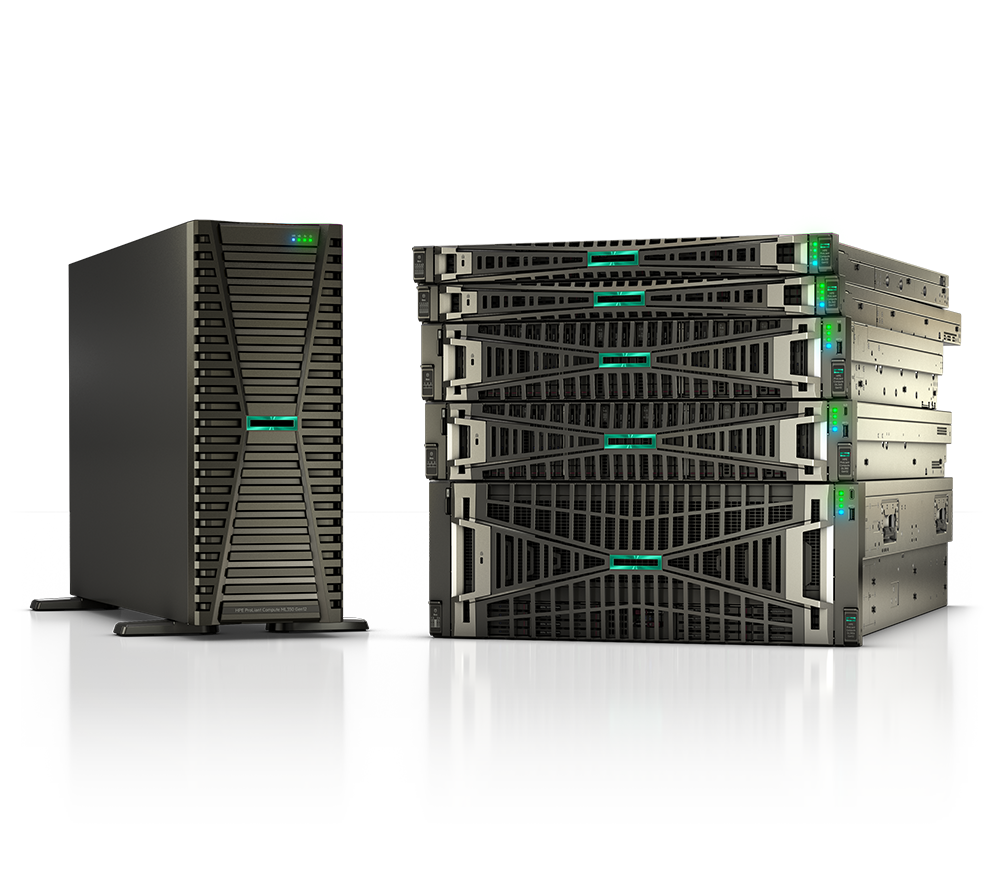
Windows Server 2025 is the most substantial Windows Server release in years, and it is arriving just as many organizations are weighing a hardware refresh. If you are buying servers for a federal agency, a SLED program, a hospital system, or a growing enterprise, the operating system upgrade and the platform decision are really one decision. This guide walks through what is new, how it maps to HPE ProLiant, and what to keep in mind before you sign a purchase order.
What's new in Windows Server 2025
Windows Server 2025 carries forward the Long-Term Servicing Channel model and brings a long list of practical improvements. A few stand out for buyers:
- Hotpatching for on-premises servers. Subscription-based hotpatching lets you apply many security updates without rebooting, cutting planned downtime to a handful of reboots per year. This matters most for healthcare and other always-on workloads.
- Security hardening by default. Credential Guard, SMB over QUIC, stricter SMB signing, and an updated security baseline reflect Microsoft's "secure by default" posture. These align well with federal and regulated environments.
- Active Directory and storage gains. Improvements to Active Directory, faster storage performance, and refinements to Storage Spaces Direct and Hyper-V make the platform a stronger fit for virtualization and software-defined infrastructure.
- AI and GPU support. Better GPU partitioning and accelerator handling make Windows Server 2025 a reasonable host for inference and other GPU-assisted workloads.
- Modern management. Tighter integration with cloud-based management and an updated in-place upgrade path reduce the friction of moving from older releases.
The takeaway: this is not a cosmetic refresh. The security and uptime features in particular justify a real evaluation, especially if you are still running Windows Server 2016 or 2019.
HPE ProLiant Gen11 and Gen12 certification and support
A new operating system is only as good as the hardware it runs on, and certification is where this gets concrete. HPE certifies its current ProLiant generations for current Windows Server releases and publishes the details in the HPE and Microsoft support matrices. Rather than trust any single date or claim, confirm your exact model and configuration against the official HPE Servers Support & Certification Matrices and the Microsoft Windows Server Catalog before you commit.
In practice, the newer the platform, the smoother the experience. HPE ProLiant Gen11 and Gen12 servers ship with current firmware, iLO management, and driver support that is actively maintained for the latest Windows Server versions. Older generations may run the OS, but driver availability, firmware updates, and formal support windows narrow over time, which is exactly the risk you do not want under a production or compliance workload.
If you are comparing platforms, our Gen11 vs Gen12 breakdown explains where the generational jump pays off, and the broader ProLiant buying guide covers how to match a server to a workload.
Why pair the OS upgrade with a hardware refresh
It is tempting to install a new OS on existing hardware to save money. Sometimes that is the right call. But there are good reasons to treat the Windows Server 2025 move as a refresh trigger:
- Lifecycle alignment. Coordinating the OS and hardware refresh resets both clocks at once, so your support, warranty, and security coverage expire together rather than in awkward, overlapping windows.
- Feature enablement. Some of the most valuable capabilities — modern security silicon, faster NVMe storage, and GPU partitioning — depend on newer platform hardware to deliver their full benefit.
- Performance and density. Newer CPUs and memory let you consolidate more workloads onto fewer nodes, which lowers power, cooling, and rack costs over the life of the fleet.
- Avoiding driver dead ends. Running a brand-new OS on aging hardware is where you find missing drivers and unsupported firmware. A current platform sidesteps that entirely.
For most teams, the right pairing is a current-generation rack server. If you are sizing one out, DL360 vs DL380 compares the two most common ProLiant choices — the dense 1U DL360 against the more expandable 2U DL380 — and you can always browse servers to see current configurations.
Licensing considerations buyers should plan for
Windows Server licensing rewards planning and punishes guesswork. A few points to work through before purchase:
- Core-based licensing. Windows Server is licensed per physical core, with minimums per processor and per server. Match your license count to the actual core count of the CPUs you configure, not to a round number.
- Standard vs Datacenter. Standard suits lightly virtualized or physical workloads; Datacenter is built for dense virtualization and software-defined storage, with broader virtualization rights. The break-even depends on how many VMs you plan to run per host.
- CALs. Most deployments still require Client Access Licenses for users or devices. Do not let these fall out of the budget.
- Hotpatching subscription. On-premises hotpatching is a subscription add-on, so factor the recurring cost against the downtime it saves.
- Software Assurance and channel. Existing agreements, public-sector pricing, and your purchasing vehicle all shape the final number. Government and education buyers in particular should confirm the right program before ordering.
As an authorized HPE and HPE Aruba Networking partner serving federal, SLED, healthcare, and enterprise customers, Uniqcli can help align the hardware and the licensing so the two parts of the project arrive ready to deploy together.
Key takeaways
- Windows Server 2025 brings real value: hotpatching, secure-by-default hardening, storage and Active Directory gains, and improved GPU support.
- HPE certifies current ProLiant generations for current Windows Server releases — always verify your exact model against the HPE and Microsoft support matrices.
- ProLiant Gen11 and Gen12 give you the firmware, driver, and support coverage that a new OS deserves.
- Pairing the OS upgrade with a hardware refresh aligns lifecycles, unlocks features, and avoids driver dead ends.
- Plan licensing early: core counts, Standard vs Datacenter, CALs, and the hotpatching subscription all affect the total.
Ready to plan your Windows Server 2025 deployment on the right HPE ProLiant platform? Request a quote with your workload and core counts, or contact our team to map out the hardware and licensing together.