
Running On-Prem LLM Inference on HPE ProLiant + NVIDIA
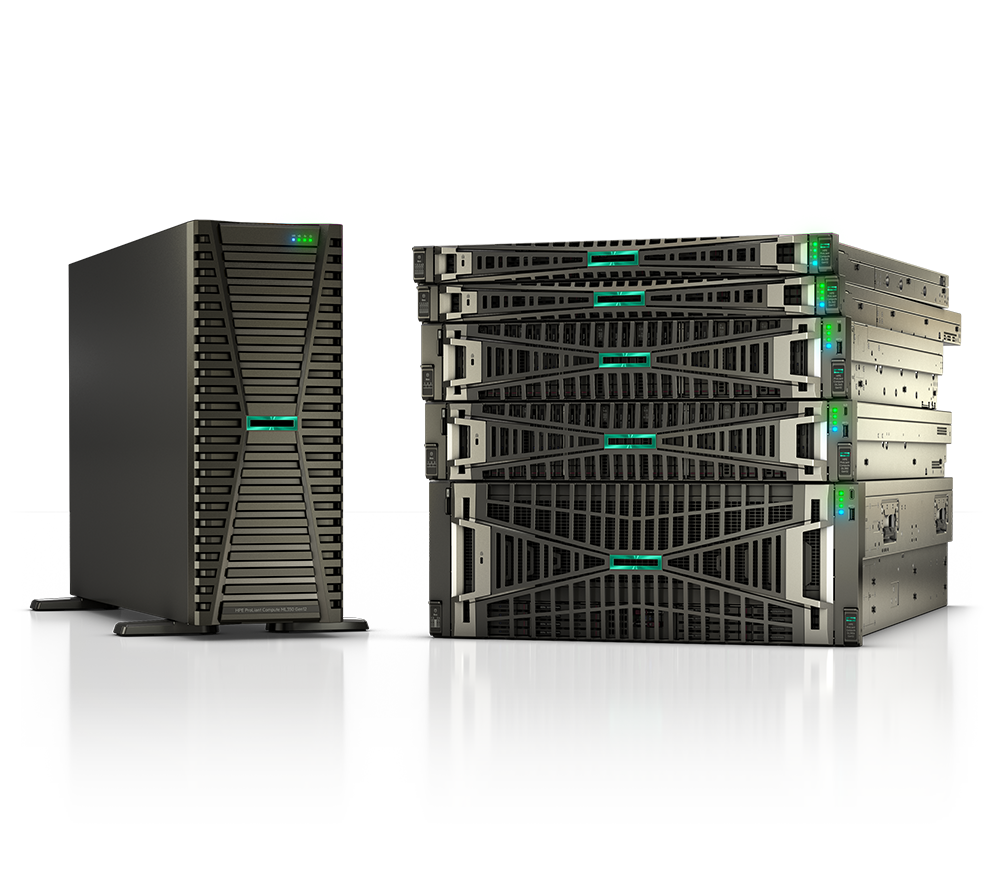
Cloud LLM APIs are easy to start with and hard to live with at scale. The per-token bill grows with usage, your prompts and outputs leave your network, and latency depends on someone else's queue. For US federal, SLED, healthcare, and enterprise teams, that combination is often a non-starter. Running inference on-premises—on HPE ProLiant Compute with NVIDIA GPUs—puts the model, the data, and the control back inside your own perimeter.
This guide walks through why teams move on-prem, how to size the hardware, the practical trade-offs, and when to step up to a larger platform.
Why run inference on-premises
Three reasons come up again and again.
Data sovereignty. If you handle CUI, PHI, or regulated records, the simplest compliance story is the one where sensitive data never leaves your boundary. On-prem inference keeps prompts, retrieved documents, and model outputs on infrastructure you own and audit—no third-party data processing agreements to negotiate per use case.
Latency. Round trips to a public API add network hops you don't control. For interactive assistants, voice, or agentic workflows that chain many calls, local inference removes that variability and keeps response times predictable.
Cost at steady state. Cloud APIs are excellent for bursty, unpredictable demand. But once you have consistent, high-volume traffic, owning the hardware can be far cheaper per token over a multi-year horizon. The math depends on utilization—idle GPUs are expensive everywhere—so size honestly.
Sizing the hardware
The first question is always the same: how big is the model, and how many users do you need to serve at once?
Memory is the gating factor. A model has to fit in GPU memory (VRAM) along with its key-value cache, which grows with context length and the number of concurrent requests. Larger models and longer prompts need more memory; quantization—running weights at lower precision such as 8-bit or 4-bit—shrinks the footprint and often lets a model fit on fewer or smaller GPUs with modest quality trade-offs.
Rough directional guidance:
- Small models (a few billion parameters): can run on a single GPU, good for classification, summarization, and lightweight assistants.
- Mid-size models (tens of billions): typically need one or more higher-memory GPUs, especially at longer context lengths.
- Large frontier-class models: require multiple GPUs working together, with fast GPU-to-GPU interconnect so the model can be split across cards.
Throughput (tokens per second) and how many users you can serve depend on model size, quantization, context length, and batching—so validate with your own workload rather than trusting a generic number. We go deeper on this in sizing GPU servers for AI inference.
Choosing ProLiant and NVIDIA GPUs
HPE ProLiant Compute is HPE's mainstream server line, and several models are built specifically for accelerated computing—chassis with the power delivery, airflow, and PCIe or SXM topology to host multiple NVIDIA data-center GPUs. The right configuration depends on how many GPUs you need and how they must talk to each other.
A few procurement-aware pointers:
- GPU count and form factor. Decide early whether one model run must span multiple GPUs. That dictates whether you need high-bandwidth interconnect between cards or can get by with independent GPUs serving separate requests.
- VRAM per GPU. More memory per card means fewer cards for a given model, simpler scaling, and headroom for longer context windows.
- Networking. Multi-node setups need fast east-west networking. If you'll grow beyond a single server, plan the fabric now rather than retrofitting later.
- Software. NVIDIA's inference stack and serving frameworks handle batching and scheduling; confirm your chosen models and tooling are supported before you buy.
Browse accelerated configurations on our supercomputing & AI page, and for the bigger picture of how compute, networking, storage, and software come together, see what is an AI factory.
Power and cooling realities
GPUs are dense, and dense racks run hot. This is the part teams most often underestimate.
A few GPUs in a single server usually live fine in a standard air-cooled rack, provided the room has the power and airflow to match. But as you add cards and racks, per-rack power climbs quickly, and at some point air cooling stops being practical or efficient. That's the threshold where liquid cooling enters the conversation—direct-to-chip or similar approaches that remove heat far more effectively than air at high densities.
Before you commit, confirm three things with your facilities team: available power per rack, cooling capacity, and physical space and weight limits. A server you can't power or cool is not a deployment. For a fuller treatment, see liquid cooling for AI.
When to consider GB300 or Private Cloud AI
A single GPU server covers a lot of ground—pilots, departmental assistants, RAG over internal documents, and steady production workloads at moderate scale. Most teams should start there, prove value, and grow.
Step up to a larger platform when the workload outgrows a few servers: training or fine-tuning your own models, serving very large models to many concurrent users, or running multiple demanding AI applications side by side. At that scale, rack-level systems like the NVIDIA GB300 NVL72 are engineered to act as one tightly coupled accelerator—see NVIDIA GB300 NVL72 explained. And if you want on-prem control without assembling every layer yourself, HPE Private Cloud AI delivers a pre-integrated, full-stack environment for AI development and inference.
The decision usually comes down to scale, in-house operations capacity, and how fast you need to be running.
Key takeaways
- On-prem inference wins on data sovereignty, predictable latency, and steady-state cost—especially for regulated workloads.
- Memory is the constraint. Model size, context length, and concurrency determine VRAM needs; quantization helps it fit.
- Keep throughput expectations directional and validate with your real workload—don't size to a vendor's headline number.
- Plan power and cooling first. Air cooling suits modest GPU counts; high density pushes you toward liquid cooling.
- Start with a ProLiant GPU server, then graduate to GB300-class systems or HPE Private Cloud AI as scale demands.
Talk to Uniqcli
Uniqcli is an authorized HPE and HPE Aruba Networking partner serving US federal, SLED, healthcare, and enterprise customers. We help you size the right ProLiant and NVIDIA configuration, plan power and cooling, and navigate procurement end to end.
Tell us your model, your users, and your constraints—request a quote or contact our team and we'll architect a private inference stack that fits.