
HPE ProLiant Gen9 End-of-Life: Final Migration Guide
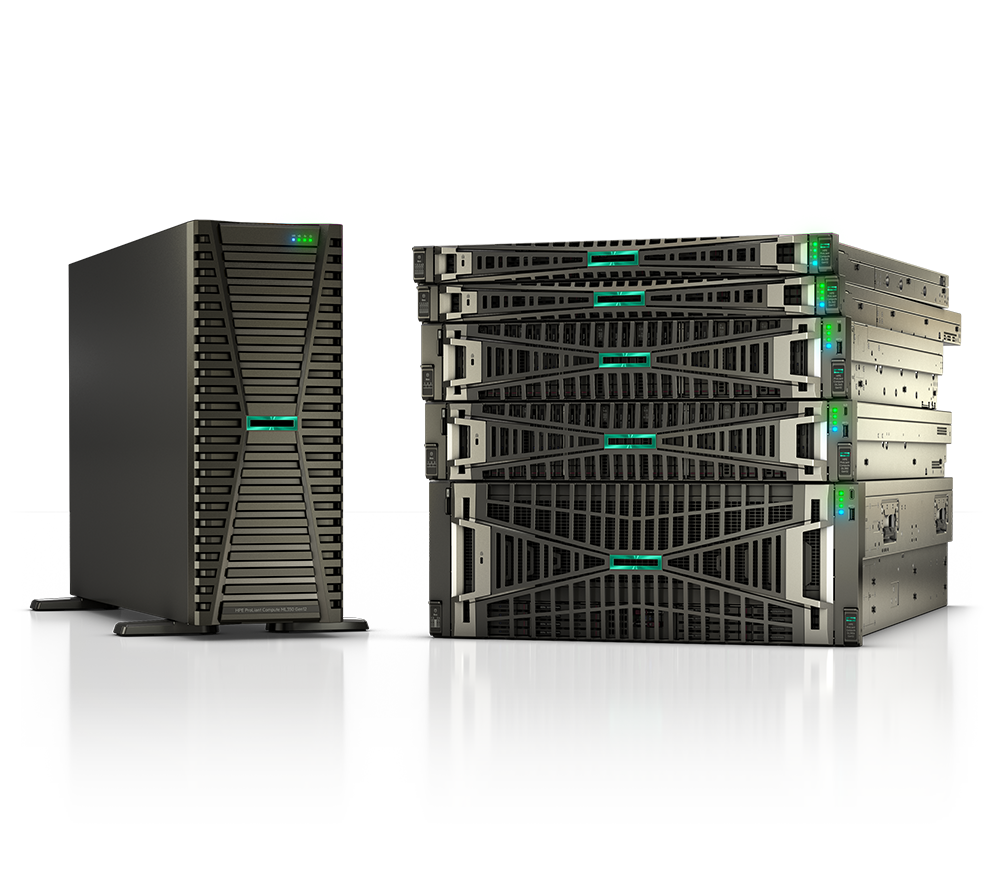
If your data center still runs HPE ProLiant Gen9 servers, the clock has effectively run out. These were excellent machines in their day, but they have moved past mainstream support and are deep into the tail end of their service life. For federal, DoD, SLED, healthcare, and enterprise teams, that shift changes the math on risk, compliance, and budgeting.
This guide walks through what end-of-life actually means for Gen9, why running unsupported compute is a problem worth solving now, and how to plan a clean migration to current-generation HPE ProLiant servers.
What "end-of-life" really means for Gen9
Hardware lifecycles move through predictable stages. First a platform ages out of active sale, then out of standard warranty, and eventually out of support entirely. Gen9 has worked through this sequence, and the practical takeaway is simple: new firmware, security updates, and standard hardware support are winding down or already gone.
There's an important distinction here. "End-of-sale" means you can no longer buy the platform new from HPE. "End-of-support" means HPE stops shipping firmware fixes, security patches, and break-fix coverage. Gen9 has reached the stage where end-of-support is the headline concern.
Exact dates vary by specific model and by support contract, and HPE publishes the authoritative timelines. Before you build your migration schedule, confirm the precise milestones for your serial numbers against HPE's official end-of-support bulletin. We can help you pull that information if you're not sure where your fleet stands.
If you're managing a mixed estate, the same logic applies one generation up — see our ProLiant Gen10 EOL guidance to plan those refreshes in the same budget cycle.
The real risk of running unsupported servers
The danger isn't that a Gen9 box stops working the day support ends. It keeps running. The danger is everything that stops happening around it.
Security is the biggest exposure. Once firmware and iLO updates dry up, newly disclosed vulnerabilities in the baseboard management controller, BIOS, or supporting components may never get patched. For regulated environments, that's not just a technical gap — it can break your compliance posture outright. DoD and federal teams operating under frameworks like RMF, and healthcare organizations under HIPAA, generally cannot run systems that no longer receive security maintenance.
Then there's reliability. Aging power supplies, fans, and drives fail more often, and once a platform is fully end-of-support, sourcing genuine replacement parts gets slower and more expensive. Third-party support can stretch the runway, but it doesn't restore vendor firmware fixes.
Finally, there's opportunity cost. Gen9 was built around older processor architectures, slower memory, and SATA/SAS-era storage. Modern workloads — virtualization density, analytics, and AI inference at the edge — run dramatically better on current silicon, often consolidating several old nodes into one.
Where to migrate: Gen11 or Gen12
For most buyers refreshing off Gen9, the decision comes down to current-generation HPE ProLiant: Gen11 or Gen12.
Gen11 is the proven, broadly deployed choice. It delivers a large generational leap over Gen9 in core counts, memory bandwidth, PCIe lanes, and power efficiency, with a mature firmware and driver ecosystem. If you want predictability and immediate availability, Gen11 is the safe landing spot.
Gen12 is the newest platform, built for the most demanding and forward-looking workloads — think AI-adjacent compute, the densest virtualization, and longer planned lifecycles before your next refresh. If you're standardizing now and want maximum headroom for the next several years, Gen12 deserves a serious look.
Rather than chase exact core counts or model numbers here — those evolve and should be confirmed against current HPE datasheets — focus on the workload. A read of Gen11 vs Gen12 will help you weigh cost against future-proofing, and our ProLiant buying guide covers how to spec memory, storage, and networking for your specific use case.
When you're ready to compare configurations, our compute lineup shows the current HPE ProLiant families we support.
Building your migration plan
A Gen9 refresh goes smoothly when you treat it as a project, not a parts swap. A workable sequence looks like this:
First, inventory. List every Gen9 system, its role, and its confirmed end-of-support date. Flag anything tied to compliance scope first.
Second, prioritize by risk. Internet-facing systems, anything holding regulated data, and single points of failure move to the front of the line.
Third, right-size the replacement. Modern servers consolidate aggressively, so you often need fewer new nodes than old ones. Map workloads to Gen11 or Gen12 targets and plan capacity with headroom.
Fourth, sequence the cutover. Stage firmware, validate against your hypervisor or OS baseline, migrate workloads in waves, and keep a rollback path until each wave is verified stable.
Fifth, handle decommissioning properly — secure data sanitization and responsible disposal, which matters doubly in government and healthcare contexts.
When it's time to source hardware, you can browse servers to see what's currently available.
Key takeaways
- Gen9 has moved past mainstream support; end-of-support means no more firmware, security patches, or standard break-fix coverage.
- Always verify exact end-of-support dates for your specific models against HPE's official bulletin before scheduling work.
- The biggest risks are unpatched security vulnerabilities, compliance failures, and harder-to-source parts — not immediate hardware death.
- Gen11 is the proven, readily available refresh target; Gen12 offers maximum headroom for demanding and future workloads.
- Treat the refresh as a phased project: inventory, prioritize by risk, right-size, sequence the cutover, then decommission securely.
Let's plan your Gen9 refresh
As an authorized HPE and HPE Aruba Networking partner, Uniqcli helps federal, DoD, SLED, healthcare, and enterprise buyers retire end-of-life Gen9 fleets and stand up current-generation ProLiant the right way. We can source TAA-compliant configurations, and the platforms you need are available via GSA and SEWP procurement vehicles to keep acquisition clean and contract-ready.
Tell us what you're running today and we'll map a migration path with the right Gen11 or Gen12 targets, accurate lead times, and pricing built for your budget cycle. Request a quote or contact our team to get started.