
HPE ProLiant DL360 vs DL380: Choosing the Right Rack Server
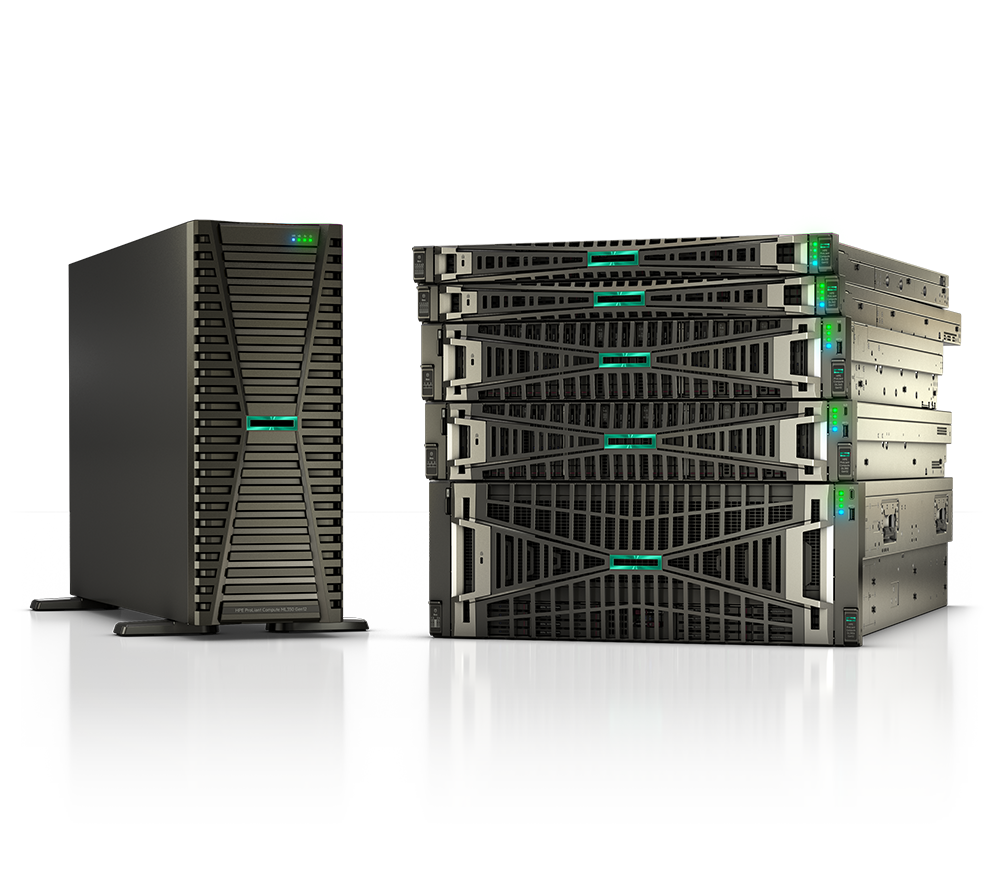
The HPE ProLiant DL360 and DL380 are the two most widely deployed rack servers in HPE's Gen11 portfolio — and for good reason. Together they cover the broadest range of enterprise, federal, SLED, and healthcare workloads on the market. But choosing between a 1U DL360 and a 2U DL380 is not a trivial call: the right answer depends on rack density constraints, storage appetite, PCIe expansion requirements, GPU ambitions, and total cost of ownership over the server's operational life.
This guide cuts through the marketing language and gives you a direct, specification-grounded comparison of the HPE ProLiant DL360 Gen11 and HPE ProLiant DL380 Gen11 so you can arrive at the procurement decision that actually fits your environment. If you want to explore the full HPE compute portfolio first, start with our ProLiant product catalog.
Form Factor: 1U Density vs. 2U Versatility
The most fundamental difference between the two platforms is physical size, and everything else flows from it.
The DL360 Gen11 occupies a single rack unit (1U). In a standard 42U rack you can fit up to 42 DL360 units — before accounting for switch and patch-panel overhead. This density advantage is significant for organizations running large compute farms, Kubernetes node pools, CDN edge caches, or HPC clusters where per-rack compute density directly reduces data center footprint and power distribution costs.
The DL380 Gen11 occupies two rack units (2U). The extra U of height is not wasted space — it translates directly into more drive bays, more PCIe slots, wider airflow channels, and greater thermal headroom for high-TDP components. Organizations that would otherwise need external storage enclosures or additional PCIe expansion chassis often find that a smaller count of DL380s delivers equivalent capability with fewer cables, fewer management points, and lower total complexity.
Key takeaway: if rack space is your scarcest resource and your workloads are compute-bound rather than storage- or I/O-bound, the DL360's 1U density wins. If you need room to grow — more drives, more cards, or GPUs — start with the DL380.
Processor and Memory Capacity
Both the DL360 Gen11 and DL380 Gen11 are dual-socket platforms supporting the same processor families, which simplifies procurement standardization across a mixed fleet.
- Processor support: 4th Gen Intel Xeon Scalable (Sapphire Rapids) and 5th Gen Intel Xeon Scalable (Emerald Rapids), up to 64 cores per socket, 128 total cores in a dual-socket configuration.
- Memory type: DDR5 HPE Smart Memory (RDIMM/LRDIMM) at speeds up to 5600 MT/s — a meaningful bandwidth jump over the DDR4 found in Gen10 Plus predecessors.
- DL360 Gen11 memory capacity: 16 DIMM slots (8 per CPU socket), scaling to approximately 4 TB total installed memory.
- DL380 Gen11 memory capacity: 32 DIMM slots (16 per CPU socket), scaling to up to 8 TB total installed memory.
The 2x memory headroom on the DL380 matters for workloads that are genuinely memory-bound: in-memory databases (SAP HANA, Redis at scale), large virtualization hosts with hundreds of VMs, VDI deployments where per-VM memory reservations accumulate quickly, and data analytics pipelines that benefit from keeping entire working datasets in RAM. For most general-purpose compute, database, and web-tier workloads, the DL360's memory ceiling is rarely a constraint in practice.
Storage Configurations
Storage flexibility is where the two platforms diverge most visibly. Both support SFF (2.5-inch), LFF (3.5-inch), and the newer EDSFF (E3.S) NVMe form factors, but the DL380's 2U chassis allows significantly more drives per node.
| Configuration | DL360 Gen11 | DL380 Gen11 |
|---|---|---|
| Max SFF (front) | 10 SFF | Up to 24 front SFF |
| Max SFF (total with rear) | Limited | Up to 30 SFF (24 front + 6 rear) |
| Max LFF (front) | 4 LFF | 12 front LFF |
| Max LFF (total with rear) | Limited | Up to 16 LFF (12 front + 4 rear) |
| Max EDSFF NVMe | Up to 20 EDSFF | Up to 20 EDSFF |
| Rear storage bays | Limited options | Yes — 4 LFF or 6 SFF rear bays |
For all-flash storage nodes, disaggregated storage, or software-defined storage platforms (Ceph, HPE dHCI), the DL380's higher drive counts often eliminate the need for an external JBOD. For compute-centric deployments where local storage is primarily boot and OS scratch, the DL360's drive count is more than adequate.
Both platforms support HPE Smart Array controllers with persistent write cache and the NS204i-u Boot Device — an M.2-based NVMe boot option that frees all front bays for data storage, a popular option on high-density DL360 deployments.
PCIe Expansion and GPU Readiness
This is arguably the most consequential specification difference for AI, ML, and analytics-driven organizations.
DL360 Gen11 PCIe expansion:
- Up to 3 PCIe Gen5 slots via optional risers
- 1 OCP 3.0 network adapter slot
- Supports PCIe Gen5 x16 and x8 configurations
- GPU limited to single-wide (low-profile) cards in most riser configurations
DL380 Gen11 PCIe expansion:
- Up to 8 PCIe Gen5 slots across primary, secondary, and tertiary risers
- 2 OCP 3.0 NIC slots
- Supports up to 8 single-wide GPUs or 3 double-wide (full-height, full-length) GPUs
- Compatible with NVIDIA H100, L40, and L4 GPU accelerators
The DL380 Gen11 is the clear choice for GPU-accelerated inference, model training, scientific computing, and video transcoding workloads. The HPE ProLiant DL380a Gen11 — the GPU-optimized variant — is specifically engineered for AI infrastructure with pre-validated GPU riser configurations. If your roadmap includes any GPU expansion within the next 18 to 24 months, the 2U form factor is worth planning for now rather than retrofitting later.
For pure networking expansion, both platforms accommodate high-speed OCP 3.0 NICs including 25GbE, 100GbE, and InfiniBand HDR/NDR options, making them equally capable for low-latency financial workloads, real-time streaming, or high-performance distributed computing.
Side-by-Side Specification Summary
| Specification | DL360 Gen11 | DL380 Gen11 |
|---|---|---|
| Form factor | 1U rack | 2U rack |
| Sockets | 2 | 2 |
| Processor support | 4th/5th Gen Intel Xeon Scalable | 4th/5th Gen Intel Xeon Scalable |
| Max cores (dual socket) | 128 | 128 |
| Memory slots | 16 (8 per CPU) | 32 (16 per CPU) |
| Max memory | ~4 TB DDR5 | ~8 TB DDR5 |
| Max SFF drives | 10 front | 30 total (24 front + 6 rear) |
| Max LFF drives | 4 front | 16 total (12 front + 4 rear) |
| PCIe Gen5 slots | Up to 3 | Up to 8 |
| OCP 3.0 NIC slots | 1 | 2 |
| GPU support | Single-wide (low-profile) | Up to 8 SW or 3 DW full-size GPUs |
| iLO version | iLO 6 | iLO 6 |
| Silicon Root of Trust | Yes | Yes |
| GreenLake compatible | Yes | Yes |
| Power supply | Up to 2 x 1600W FlexSlot hot-plug | Up to 2 x 1600W FlexSlot hot-plug |
| Trusted Supply Chain option | Available | Available |
Security Architecture: What Both Platforms Share
One area where the DL360 and DL380 are genuinely equivalent is security — and it is worth understanding in depth because security posture is a decisive factor for federal and healthcare buyers evaluating both platforms.
Both the DL360 Gen11 and DL380 Gen11 include:
- HPE Silicon Root of Trust — cryptographic security anchored in the iLO ASIC at silicon level, preventing firmware tampering from the moment of manufacture through decommission. Integrity signatures are built directly into the iLO ASIC, eliminating any possibility of supply-chain tampering with those signatures.
- HPE iLO 6 — the sixth generation of HPE's out-of-band management controller, supporting Security Protocol and Data Model (SPDM) for authenticated component validation. iLO 6 can detect and flag unauthorized PCIe cards added to the platform.
- iDevID and Platform Certificates — hardware identity attestation supporting zero-trust network admission and supply chain integrity verification.
- Secure Erase — NIST 800-88-compliant cryptographic erase for drives, essential for federal data sanitization requirements and healthcare data handling at end of life.
- FIPS 140-2 validated cryptographic modules within the iLO 6 management engine.
For US federal and DoD deployments, HPE also offers the Trusted Supply Chain option for ProLiant Gen11 servers — systems assembled in HPE's US-based, secured manufacturing facility by background-vetted personnel. This addresses supply chain security requirements relevant to Executive Order 14017, CMMC compliance, and DISA procurement standards in ways that standard commercial manufacturing cannot match.
For organizations pursuing DISA STIG hardening, CMMC Level 2 or 3 certification, or HIPAA-compliant server deployments, iLO 6's built-in security posture is a meaningful head start. Our team regularly assists with iLO 6 hardening configurations as part of procurement; see our infrastructure guides for more detail on hardening procedures.
Management and Lifecycle: HPE GreenLake and iLO 6
Both the DL360 and DL380 integrate with HPE GreenLake for Compute Ops Management, HPE's cloud-based server lifecycle management platform. This matters operationally because it delivers:
- Unified firmware update orchestration across mixed DL360 and DL380 fleets, including scheduling and rollback
- Security posture dashboards displaying real-time Silicon Root of Trust status across every enrolled node
- Predictive hardware health analytics via HPE InfoSight, surfacing drive and DIMM failure predictions before they become outages
- Subscription-based consumption models for organizations that prefer OpEx to CapEx procurement structures
Organizations managing hundreds of nodes — common in federal data centers and large healthcare systems — benefit substantially from unified management even when running a mix of 1U and 2U platforms. HPE's Service Pack for ProLiant (SPP) provides a single tested firmware bundle covering both server families, materially reducing patch management overhead compared to managing two separate update streams.
For procurement and configuration, browse our HPE server shop or request a custom quote — our team configures both platforms daily across federal, SLED, and enterprise accounts.
Workload-to-Platform Decision Framework
Use this as a practical starting point. Most real-world deployments have nuances a brief configuration conversation can surface, but these patterns hold across the majority of deployments.
Choose the DL360 Gen11 when:
- Rack density is the primary constraint — colocation with per-U fees, edge sites, forward operating locations, or satellite hospital facilities with limited rack enclosures
- Workloads are compute-bound rather than storage- or GPU-bound: web servers, application tiers, container worker nodes, CI/CD runners, DNS/DHCP infrastructure, caching layers
- Kubernetes or OpenShift clusters where uniform, high-count worker nodes matter more than per-node expansion
- HPC clusters running MPI jobs across large numbers of homogeneous instances
- AI inference at the edge using one or two single-wide GPUs (NVIDIA L4 or equivalent)
- Budget optimization is a factor and the DL360's lower per-node cost fits workload requirements without leaving headroom unused
Choose the DL380 Gen11 when:
- In-memory database workloads (SAP HANA, Redis Enterprise, Oracle TimesTen) require more than 4 TB of RAM per server
- Storage density must be maximized locally — software-defined storage (Ceph), backup repositories (Veeam), or analytics data lakes requiring large NVMe or HDD drive counts
- PCIe expansion requirements exceed 3 slots — multiple HBAs, storage controllers, 100GbE adapters, or FPGAs alongside a GPU
- GPU acceleration for training pipelines, large-batch inference, or video transcoding requires double-wide cards or GPU counts above three per server
- Virtualization consolidation where a single host must support a large number of diverse VMs with varying CPU, memory, and storage profiles
- Workload growth is expected within the server's depreciation window and expansion headroom de-risks an early refresh
Many organizations deploy both in the same rack: DL360 Gen11 nodes as the compute tier and DL380 Gen11 nodes as the storage or GPU-accelerated analytics tier. This is especially common in healthcare data platforms — imaging AI pipelines on DL380, EHR application servers on DL360 — and in federal environments where different classification domains run on separate, physically distinct hardware stacks.
Total Cost of Ownership Beyond the Purchase Price
Comparing the dl360 vs dl380 on sticker price alone misses most of the TCO picture. Several factors shift the math significantly over a five-year asset life:
- Rack and colocation costs: If your facility charges per rack unit, the 1U vs. 2U difference compounds across the fleet. A 100-node cluster is 100U on DL360 versus 200U on DL380 — a gap that can exceed the server hardware cost itself in premium colocation markets.
- Expansion avoidance: A DL380 configured with storage and PCIe headroom may defer the need for external JBODs, PCIe expansion chassis, or a mid-lifecycle refresh that a DL360 might require when hitting its ceiling. This is especially relevant in five-year federal BPA cycles.
- Power and cooling: Real-world power draw depends on processor TDP and loaded drive count rather than chassis size. Both platforms support hot-plug redundant power supplies up to 1600W, and Gen11 introduced meaningful efficiency gains over Gen10 across both product lines.
- Software licensing: If per-socket or per-core licensing applies (VMware, Microsoft Windows Server, Oracle), both platforms are equivalent since they support the same processor options and socket counts.
Our server buying guides cover TCO modeling in more detail, or request a quote and our team can model specific configurations against your expected workload growth.
How Uniqcli Helps
As an authorized HPE and HPE Aruba Networking partner, Uniqcli configures and sources DL360 Gen11 and DL380 Gen11 systems for federal agencies, state and local government, K-12 and higher education, healthcare systems, and enterprise IT teams. We have deep experience with TAA-compliant configurations, Trusted Supply Chain ordering, iLO 6 security hardening, and HPE GreenLake consumption models across all of these sectors.
Whether you need a single server for a remote clinical site or a hundred nodes for a data center buildout, our team can build a configuration that fits your technical requirements and your procurement vehicle. Request a quote or contact our solutions team to start the conversation — no commitment required, and we are glad to compare DL360 and DL380 configurations side by side against your specific workloads and budget.