
Windows Server 2016 End-of-Support: Plan Your ProLiant Refresh
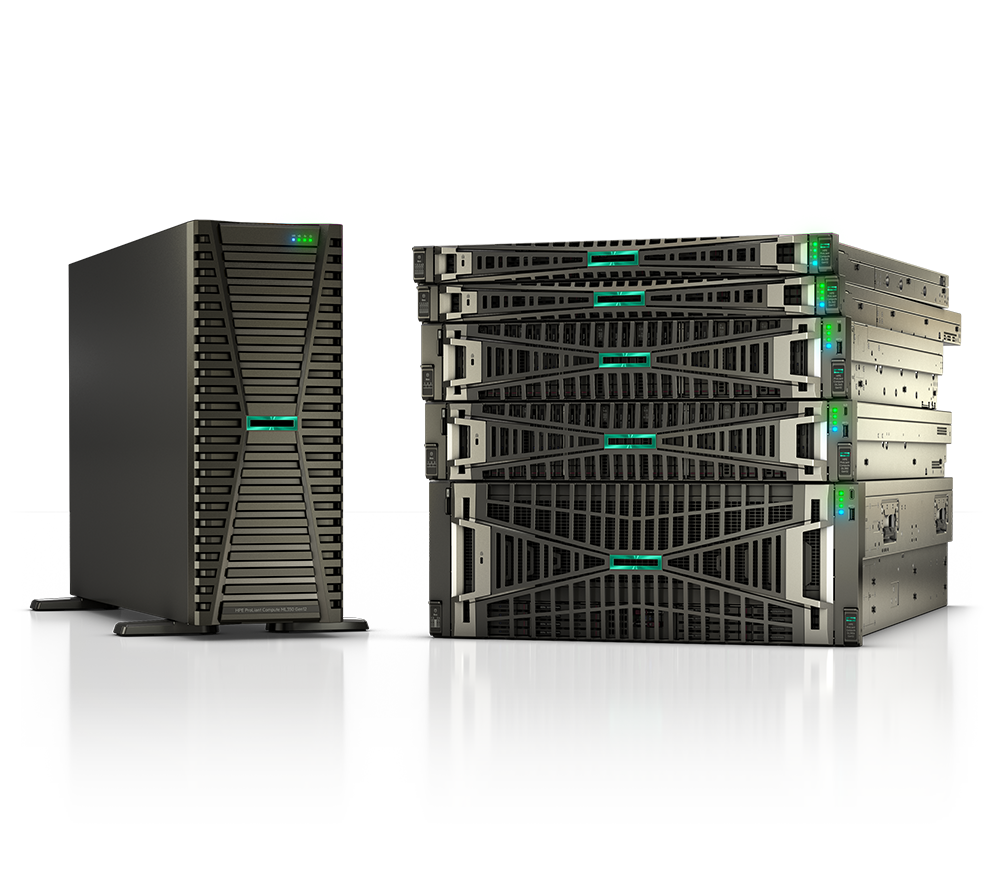
If you still run Windows Server 2016, the clock is ticking. Microsoft's extended support window for the 2016 release is closing, and once it does, you stop receiving security updates unless you pay for Extended Security Updates (ESU). For most teams, that deadline is the right moment to do something you've probably been putting off: refresh the operating system and the hardware underneath it at the same time.
This guide walks through how to plan that combined refresh on HPE ProLiant servers, what your migration targets look like, and where a consumption model like HPE GreenLake fits. We'll keep dates general on purpose, always verify the specifics against Microsoft's lifecycle page and HPE's product bulletins before you commit budget.
Why the OS deadline is really a hardware decision
Plenty of organizations treat an OS upgrade as a software-only project. In practice, servers bought to run Windows Server 2016 are often well past their typical service life by the time that OS ages out. Warranties have lapsed or are about to. Spare parts get harder to source. Power and cooling efficiency lags badly behind current silicon.
Bundling the two efforts saves money and downtime. You migrate once, validate once, and decommission once, instead of upgrading the OS on aging hardware now and repeating the whole exercise in a year or two. For regulated environments, federal, SLED, healthcare, the security clock matters even more: running an unsupported OS on out-of-warranty hardware is the kind of finding auditors flag fast.
The practical question becomes which ProLiant generation to land on, and whether you buy outright or consume capacity.
Choosing your migration target: WS2022 or WS2025
Microsoft offers two sensible landing spots. Windows Server 2022 is the mature, broadly deployed Long-Term Servicing Channel release with a long runway of support ahead of it. Windows Server 2025 is the newer release, with improvements around security, hotpatching, and storage that appeal to teams modernizing for the long haul.
A few things to weigh:
- Application compatibility. Confirm your line-of-business apps, database versions, and any third-party agents are certified on your target OS before you pick.
- Licensing. Server licensing is core-based, so your hardware core counts directly affect cost. Right-sizing the new server avoids paying for cores you won't use.
- Support runway. WS2025 buys you the longest horizon before the next end-of-support conversation. WS2022 is the safer bet if a critical app isn't certified yet.
Whichever you choose, verify the exact lifecycle dates on Microsoft's lifecycle page, they shift, and you don't want to plan a project around a date from memory.
Matching the OS refresh to the right ProLiant generation
Once the OS target is set, the hardware decision follows. HPE ProLiant has moved through several generations since the 2016 era, and the jump in performance per watt, memory capacity, and management tooling is substantial.
For most refreshes you'll be comparing the current and prior generation. Our Gen11 vs Gen12 breakdown covers how they differ on processors, memory, and security features so you can decide whether the latest generation is worth the premium for your workload. If you're newer to the lineup, the ProLiant buying guide explains the DL rack, ML tower, and other families in plain English.
A simple way to think about sizing:
- Consolidation. Newer cores are far denser, so several aging 2016-era servers often collapse into one or two modern ProLiant nodes. That cuts licensing, rack space, and power.
- Headroom. Size for the workload you'll run in three to five years, not just today's footprint.
- Lifecycle alignment. Buy hardware whose support window comfortably outlasts your chosen OS so the next refresh is one event, not two.
You can browse current options in our compute lineup or jump straight to browse servers to compare configurations.
Where HPE GreenLake fits
Not every organization wants a large capital purchase tied to a deadline. If you'd rather pay for compute as you use it, and scale up or down without re-procuring, HPE GreenLake delivers ProLiant hardware on-premises under a consumption model. You keep the data center control and latency you need while shifting to an operating-expense profile.
Our what is HPE GreenLake explainer covers how the metering and billing work. For agencies and institutions watching budget cycles, the ability to align spend with usage, rather than a single year-end outlay, can make the refresh far easier to approve.
The choice isn't all-or-nothing. Many teams buy outright for steady, predictable workloads and use GreenLake for capacity that fluctuates. We can model both against your actual environment.
Building a realistic timeline
End-of-support deadlines have a way of sneaking up, and ProLiant lead times vary with configuration and demand. A workable sequence looks like this:
- Inventory now. List every Windows Server 2016 instance, its workloads, app dependencies, and current hardware warranty status.
- Pick OS targets. Decide WS2022 or WS2025 per workload based on app certification.
- Right-size hardware. Map consolidated workloads to ProLiant configurations, and decide buy versus GreenLake.
- Order with lead time in mind. Place orders early so configured systems arrive before your migration window.
- Migrate, validate, decommission. Move workloads, confirm everything runs clean, then retire the old gear.
If a few systems genuinely can't move before the deadline, ESU can buy short-term coverage, but treat it as a bridge, not a plan. The cost adds up, and it doesn't solve the aging-hardware problem.
Key takeaways
- Windows Server 2016 extended support is ending; confirm exact dates on Microsoft's lifecycle page and HPE's bulletins before budgeting.
- Pair the OS migration with a hardware refresh, the servers running WS2016 are usually due for replacement anyway.
- Choose WS2022 for maximum app compatibility today, or WS2025 for the longest support runway.
- Newer ProLiant generations consolidate aging servers into fewer nodes, cutting licensing, power, and rack space.
- HPE GreenLake offers a consumption alternative to a large capital purchase, useful when budget cycles are tight.
- Start the inventory and ordering process early; lead times and the deadline both work against last-minute plans.
Ready to scope your refresh? Request a quote for a right-sized ProLiant configuration, or contact our team to talk through WS2022 versus WS2025, buy versus GreenLake, and a timeline that beats the deadline. As an authorized HPE and HPE Aruba Networking partner serving federal, SLED, healthcare, and enterprise customers, we'll help you migrate once and do it right.