
"HPE ProLiant Gen12 Sizing Guide: CPU, Memory, and Storage for Virtualization, AI, and Databases"
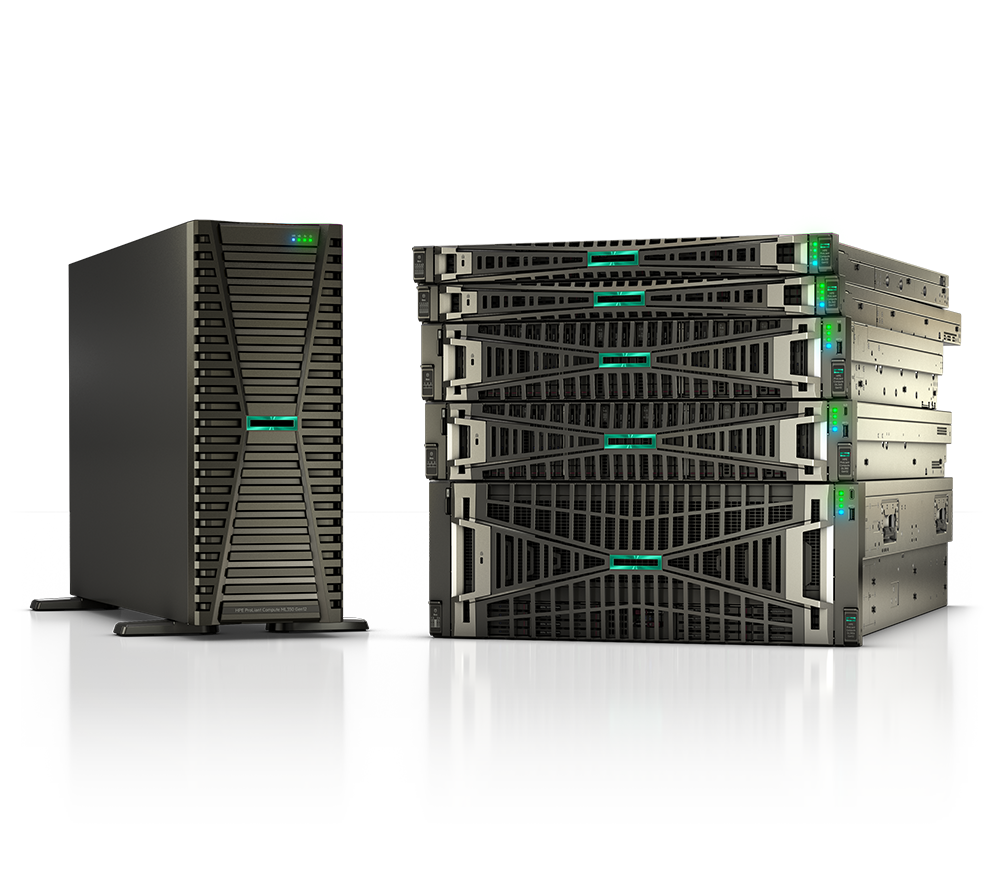
Right-sizing a server is where most refresh budgets get wasted. Buy too lean and you re-purchase in 18 months; over-provision and you carry idle cores, stranded DIMM slots, and power you never use. This ProLiant Gen12 sizing guide gives procurement and IT teams a workload-first framework for configuring the HPE ProLiant DL360 Gen12 and DL380 Gen12 across virtualization, SQL databases, and AI inference, so the bill of materials matches the workload rather than the spec sheet.
What changed with ProLiant Gen12
Gen12 is built on Intel Xeon 6 processors and DDR5, and the platform jumps in three dimensions that directly affect sizing. First, core counts scale much higher per socket, which changes how many VMs or database instances land on a single node. Second, memory moves to DDR5 with more channels per CPU and capacity up to 8 TB per server at speeds up to 6400 MT/s, so populating one DIMM per channel matters more than ever for bandwidth-sensitive workloads. Third, storage is increasingly NVMe-first, with the DL360 Gen12 supporting dense E3.S EDSFF NVMe configurations and PCIe Gen5 expansion.
The practical takeaway: Gen12 lets you consolidate more onto fewer nodes, but only if you balance cores, memory channels, and storage tier to the actual workload. The two most common rack picks are the 1U DL360 Gen12 (density and edge) and the 2U DL380 Gen12 (general-purpose flexibility, more drives and GPU room).
DL360 vs DL380 Gen12: pick the chassis first
Before sizing CPU and memory, choose the form factor, because it caps what you can add later.
| Factor | DL360 Gen12 (1U) | DL380 Gen12 (2U) |
|---|---|---|
| Best for | Dense racks, edge, scale-out VMware/HCI | General virtualization, mixed DB + apps, GPU inference |
| Sockets | Up to 2 (Xeon 6) | Up to 2 (Xeon 6) |
| Memory | Up to 8 TB DDR5, up to 6400 MT/s | Up to 8 TB DDR5, up to 6400 MT/s |
| Storage flexibility | SFF / LFF / up to 20x E3.S NVMe | More bays, broader SFF/NVMe/LFF mix |
| GPU room | Up to ~3 single-width GPUs | Larger GPU and PCIe Gen5 expansion |
| Pick it when | You optimize for rack U and power | You need headroom for growth or accelerators |
Rule of thumb: if you are buying for a known, dense, repeatable role (a vSphere cluster node, a VDI host, an edge compute box), the DL360 Gen12 keeps cost-per-U down. If the node will host heterogeneous workloads or you anticipate adding GPUs or more NVMe later, the DL380 Gen12's expansion headroom is worth the extra U. Compare current configurations side by side on our compare page.
How to choose: a workload-first sizing framework
Size in this order: cores, then memory, then storage, then I/O. Working backward from the workload prevents the classic mistake of buying a high-core SKU and starving it with too few DIMMs.
1. Virtualization (VMware vSphere / HCI). Start from VM density and consolidation ratio. A reasonable planning baseline is 4-6 vCPUs and 8-16 GB RAM per general-purpose VM, with cores oversubscribed roughly 3:1 to 4:1 and memory closer to 1:1 (avoid memory oversubscription in production). For a node targeting ~40-60 VMs, a dual-socket DL360 or DL380 Gen12 with mid-to-high core SKUs and 1 TB+ of DDR5 is a sound starting point. Populate one DIMM per channel for full bandwidth, and reserve a node's worth of capacity for N+1 failover.
2. SQL Server and databases. Databases are memory- and license-sensitive. Because SQL Server licenses per core, prefer higher-frequency, lower-core SKUs to maximize per-core performance and minimize license spend, then load memory aggressively (buffer pool is king). Put data and log on NVMe; separate tempdb onto its own fast namespace. For OLTP, prioritize low-latency NVMe and clock speed; for analytics/OLAP, prioritize memory capacity and bandwidth.
3. AI inference. Most enterprise AI today is inference, not training. The DL380 Gen12 (and DL360 Gen12 for lighter models) handles single-width GPU inference well. Size GPU memory to your model footprint first, then ensure host RAM is roughly 1.5-2x aggregate GPU memory, and feed it with NVMe so data loading is not the bottleneck. For larger or multi-GPU needs, the DL380a Gen12 4U variant is the accelerator-optimized path.
4. Don't forget the non-CPU lines. Match power supplies (right wattage, redundant N+1, and Energy Star / 80 PLUS Titanium where efficiency targets apply), networking (OCP 3.0 + PCIe Gen5 NICs), iLO management licensing, and a 3-5 year support tier up front. These are easy to under-scope and expensive to retrofit.
Sizing quick-reference by workload
| Workload | Chassis | CPU priority | Memory starting point | Storage | Watch out for |
|---|---|---|---|---|---|
| General VMware/HCI | DL360 or DL380 Gen12 | Balanced core count | 1 TB+, 1 DIMM/channel | NVMe + SAS mix | N+1 failover capacity |
| VDI | DL380 Gen12 | High core count | 1-2 TB | All-NVMe | GPU for graphics tiers |
| SQL OLTP | DL380 Gen12 | High clock, lower core (license) | 512 GB-1 TB+ | Low-latency NVMe, isolated tempdb | Core-based licensing cost |
| OLAP / analytics | DL380 Gen12 | Bandwidth + cores | 2 TB+ | NVMe | Full memory channel population |
| AI inference | DL380 / DL380a Gen12 | GPU-bound | 1.5-2x GPU memory | NVMe staging | GPU VRAM vs model size |
| Edge / dense scale-out | DL360 Gen12 | Efficiency per U | 256-512 GB | E3.S NVMe | Power and cooling budget |
Browse current products and the full catalog to map these profiles to in-stock SKUs.
How Uniqcli helps
Uniqcli is an authorized HPE and HPE Aruba Networking reseller, and we configure ProLiant Gen12 to the workload, not the line-card default.
- Scope and BOM: We translate your VM counts, database sizing, or inference models into a validated DL360/DL380 Gen12 configuration: CPU SKU, DDR5 population for full memory bandwidth, NVMe/SAS storage tiers, GPU, NICs, redundant power, iLO, and the right support term.
- Procurement vehicles: We deliver through the contract paths federal, SLED, and healthcare buyers actually use, including GSA, SEWP, and E-Rate, with TAA-compliant configurations where required. We confirm the right vehicle and compliance posture for your organization before you commit.
- Quote fast: Send us your workload targets or an existing config and we return a clean, line-item quote. Start at quote.
- Deploy and support: From rack-and-stack and firmware baselining to multi-year HPE support and lifecycle planning, we stay on the engagement past the PO.
FAQ
How much memory should a ProLiant Gen12 server have? Size memory from the workload, not a round number. For general virtualization, 1 TB+ is a common starting point; analytics and large databases push toward 2 TB or more. Populate one DIMM per channel to get full DDR5 bandwidth (up to 6400 MT/s), and avoid memory oversubscription in production. Gen12 supports up to 8 TB per server.
Should I choose the DL360 or DL380 Gen12? Choose the 1U DL360 Gen12 for dense, repeatable, power-conscious roles like scale-out vSphere nodes or edge. Choose the 2U DL380 Gen12 when you need expansion headroom for more drives, GPUs, or mixed workloads. The DL380a Gen12 4U is the path for accelerator-heavy AI.
How do I size a DL380 Gen12 for SQL Server? Because SQL Server licenses per core, prefer higher-clock, lower-core SKUs to cut license cost, then maximize memory for the buffer pool. Use low-latency NVMe for data and logs, and isolate tempdb on its own fast namespace.
Can ProLiant Gen12 run AI workloads? Yes, primarily inference. The DL360 and DL380 Gen12 support single-width GPUs; the DL380a Gen12 targets multi-GPU. Size GPU memory to your model, keep host RAM around 1.5-2x aggregate GPU memory, and stage data on NVMe so I/O is not the bottleneck.