
HPE Synergy and Composable Infrastructure, Explained
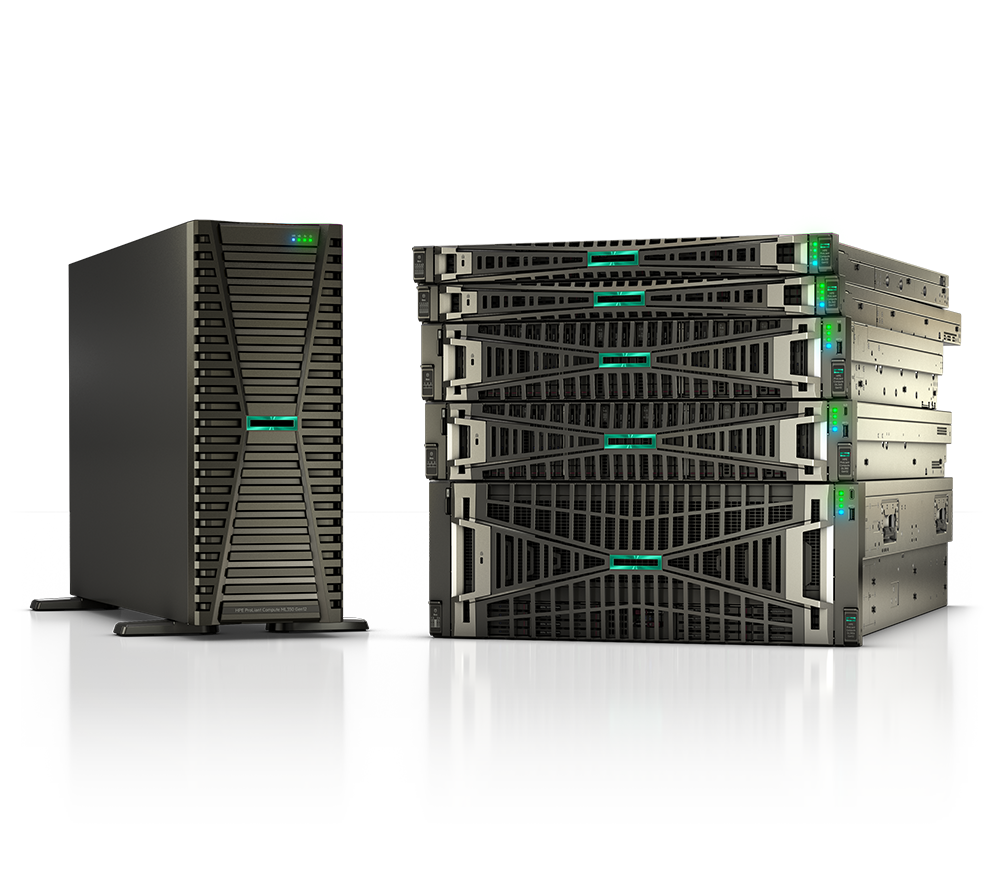
HPE Synergy is one of the most consequential infrastructure platforms HPE has shipped in the past decade — and it still raises the same question from IT leaders every time it comes up: what exactly does "composable" mean in practice, and is it the right architecture for our environment?
This guide cuts through the marketing language. We'll explain what HPE Synergy actually is, how the composable model works under the hood, how it compares to conventional blade and rack systems, who should buy it, and where it fits across workloads from federal data centers to healthcare virtualization to enterprise private cloud. If you're evaluating HPE Synergy for your organization, this is the right place to start.
What "Composable Infrastructure" Actually Means
Composable infrastructure is not a chassis upgrade. It is a fundamentally different philosophy about how compute, storage, and networking resources are allocated and managed.
In a traditional data center — even one running modern blade systems — resources are siloed. A server has fixed memory, a storage array belongs to a specific team, and networking changes require a separate ticket. Provisioning a new workload means waiting for physical configuration, VLAN changes, SAN zoning, and firmware checks to line up across multiple teams and timelines measured in days.
Composable infrastructure dissolves those silos. Resources — compute cores, memory, storage drives, and network bandwidth — live in a fluid pool. Software assembles (or "composes") exactly the combination each workload needs, and then reassembles a different configuration when demands shift. The physical hardware doesn't move; only the software-defined assignments change.
HPE's implementation of this model is the HPE Synergy platform, which combines a purpose-built chassis (the Synergy 12000 Frame), a library of compute modules, an integrated composable fabric, pooled storage options, and the HPE OneView management layer that makes all of it programmable through a unified REST API.
An independent study found that 89% of Composable Infrastructure customers reported reduced provisioning time after moving to HPE Synergy, with many reporting savings of 26–50% on provisioning cycles. That's not a theoretical efficiency; it reflects a real architectural advantage over static infrastructure.
The HPE Synergy 12000 Frame: What Lives in the Chassis
The physical foundation of every HPE Synergy deployment is the HPE Synergy 12000 Frame, a 10U chassis that holds up to 12 half-height compute modules (or fewer, larger full-height modules). Unlike the HPE BladeSystem C7000 — which Synergy conceptually succeeds — the 12000 Frame was designed from the ground up for a software-defined model.
Key architectural facts:
- Midplane bandwidth: The Synergy 12000 midplane delivers over 16 Tbps of internal bandwidth, more than double the throughput available in the C7000 enclosure. This headroom matters when multiple workloads compete for fabric access simultaneously.
- Multi-frame management: A single HPE Synergy Composer appliance can manage up to 20 frames. Virtual Connect fabric modules span up to five frames, giving a single management domain visibility across as many as 60 compute modules simultaneously.
- Composable storage pool: Drives housed within the frame ecosystem — SAS, SFF, NVMe SFF (E3.S), and Flash uFF — can be individually assigned to compute nodes or pooled across frames as shared storage, without a separate SAN array in the loop for many use cases.
- Shared power and cooling: The frame manages power and cooling centrally, reducing the per-node overhead that accumulates across a large footprint of individually managed rack servers.
The Synergy Composer itself is a pair of small appliances embedded in the frame. They run HPE OneView and maintain configuration state for the entire managed domain, meaning management intelligence travels with the hardware rather than depending on an external management server.
Current Compute Modules: Gen11 and Gen12
HPE continuously refreshes the compute modules that slot into the 12000 Frame. Two primary generations are in active production:
HPE Synergy 480 Gen12 Compute Module
The newest generation, the Synergy 480 Gen12, is built around Intel Xeon 6 processors and delivers meaningful performance and efficiency gains over its predecessor:
- Up to 86 cores per two-socket module
- Up to 32 DDR5 DIMM slots supporting speeds up to 6400 MHz
- Drive options including 4 SFF and 8 EDSFF NVMe E3.S drives, plus dual NVMe M.2 RAID boot
- PCIe Gen5 for substantially higher I/O bandwidth
- Half-height form factor — up to 12 per frame
HPE Synergy 480 Gen11 Compute Module
The Gen11 module, based on 4th and 5th Generation Intel Xeon Scalable processors, remains in production and fully supported:
- Up to 64 cores per module
- DDR5 memory support
- Compatible in the same frame as Gen12 modules, enabling selective compute refresh without replacing the entire platform
Both generations share one operationally significant capability: once a server profile is applied through HPE OneView, a compute module can be ready to boot in under 30 seconds. That's a meaningful contrast to traditional physical provisioning timelines measured in hours or days, and it underpins the agility claims that HPE makes about the Synergy platform.
HPE Synergy vs. Traditional Blade and Rack Servers: Side-by-Side
Organizations evaluating Synergy frequently need a direct comparison against the HPE BladeSystem C7000 they may be replacing, or against rack-mount ProLiant servers they already know. The table below covers the most decision-relevant differences.
| Capability | HPE Synergy 12000 | HPE BladeSystem C7000 | HPE ProLiant DL Rack |
|---|---|---|---|
| Midplane / chassis bandwidth | 16+ Tbps | ~7 Tbps | N/A (per-server) |
| Compute slots per chassis | 12 half-height modules | 16 blades | 1 per 1U/2U |
| Management scope | Up to 20 frames, single Composer | Per-enclosure OA | Per-server iLO |
| Resource pool model | Fluid pools across frames | Fixed per-enclosure | No pooling |
| Storage composability | Pooled drives across frames | Local to blades | Local or external SAN |
| API surface | Full REST API (HPE OneView) | Limited OA scripting | iLO REST API |
| Fabric span | Up to 5 frames, 60 nodes | Within enclosure | N/A |
| IaC integration | Ansible, Terraform, PowerShell | Limited | iLO provider for Terraform |
| Boot time after profile apply | Under 30 seconds | Minutes to hours | Manual or scripted |
| GreenLake as-a-service option | Yes | No | Yes (ProLiant) |
| Best fit | Hybrid cloud, private cloud, DevOps | Consolidated server workloads | Single-app, smaller footprints |
The Synergy platform trades raw slot density versus the C7000 for dramatically expanded flexibility, cross-frame bandwidth, and programmability. For teams running heterogeneous workloads or implementing DevOps pipelines, that trade-off is almost always worth it. For a team running one stable application on dedicated hardware with no automation plans, a standard ProLiant rack server may remain the better fit — and there is no shame in that conclusion.
HPE OneView: The Software Intelligence Layer
The composable model only functions because of the management software sitting above the hardware. HPE OneView is that layer — a unified, template-driven management platform that treats physical infrastructure as code.
Key capabilities relevant to Synergy deployments:
- Server Profile Templates: Administrators define a template that encapsulates BIOS settings, RAID configuration, firmware baseline, network connections, and storage assignments. Applying that template to any compute module provisions a fully configured server without physical intervention.
- Single REST API: Every action available in the HPE OneView UI is also callable through a documented REST API. Synergy configurations can be driven by Ansible playbooks, Terraform modules, or custom Python scripts, making it practical to integrate infrastructure provisioning directly into CI/CD pipelines.
- Firmware compliance dashboard: OneView continuously audits firmware across compute, fabric, and storage resources and flags deviations from a defined baseline. For federal environments subject to DISA STIG requirements, or healthcare environments managing HIPAA risk posture, automated firmware drift detection has direct compliance value.
- Unified inventory and health: OneView provides a consolidated view of inventory and health status across all managed HPE infrastructure — not only Synergy frames — reducing the tool sprawl that slows down incident triage in large environments.
- HPE Image Streamer integration: The optional HPE Synergy Image Streamer appliance integrates with OneView to enable stateless computing: OS images are streamed to compute modules rather than stored locally, allowing a module to be redeployed to a different workload by switching the image stream. This is especially useful for environments that need to rapidly redeploy capacity between development, test, and production roles.
Workload Use Cases and Vertical Fit
HPE Synergy's architecture advantages translate differently depending on the environment. Here's where the platform has the strongest documented fit.
Private and Hybrid Cloud
Teams building on-premises private clouds benefit most directly from the composable model. Fluid resource pools make it straightforward to right-size infrastructure for each workload without overprovisioning, and the API-first management layer integrates cleanly with cloud-parity automation tooling. HPE also offers Synergy consumption through HPE GreenLake, allowing organizations to pay for Synergy capacity as a managed, metered service rather than a capital purchase.
Virtualization and VDI
HPE has published validated reference architectures for Synergy-based virtualization, including VMware vSphere and Microsoft Hyper-V environments. In healthcare settings, rapid provisioning of clinical desktop sessions during shift changes or emergency expansions has direct patient-care implications. GPU-equipped compute modules support graphics-intensive VDI workloads, including those delivered through Citrix Virtual Apps and Desktops.
Federal and SLED Environments
The federal market's emphasis on repeatability, auditability, and rapid redeployment aligns closely with Synergy's template-driven model. The ability to re-image and reconfigure a compute module in seconds — with a full audit trail captured in OneView — supports zero-trust infrastructure principles and simplifies the documentation burden for Authority to Operate (ATO) processes. HPE participates in federal procurement vehicles that make Synergy accessible through channels designed for government buyers, including GSA schedules.
State and local government agencies and educational institutions face similar pressure to do more with constrained budgets. The fluid pool model allows SLED organizations to avoid the overprovisioning that is typically the only alternative to slow manual provisioning.
DevOps and CI/CD Infrastructure
Engineering teams running continuous integration pipelines need infrastructure that can be provisioned, tested against, and torn down as fast as code deploys. Synergy's sub-30-second provisioning and deep integration with Ansible and Terraform make it a natural fit for build and test infrastructure that needs to mirror production configurations exactly — including network identity and storage layout.
High-Performance Compute and Analytics
The Gen12 compute module's Intel Xeon 6 processors and PCIe Gen5 support position Synergy for data-intensive analytics workloads where I/O bandwidth is the bottleneck. Storage composability — the ability to assign NVMe drives to the node that needs them, then reassign those drives after a job completes — eliminates the need to build separate, dedicated HPC infrastructure for each job type.
Networking Fabric: Virtual Connect and HPE Aruba Integration
The network layer inside a Synergy deployment is handled by HPE Virtual Connect SE modules — most notably the Virtual Connect SE 100Gb Module for Synergy, which provides:
- 25/50 Gbps downlink speeds to compute modules within the frame
- 100 Gbps uplinks to the datacenter switching layer
- 16/32 Gbps converged Fibre Channel support for environments still running SAN-attached storage
- Dedicated downlink ports for HPE Image Streamer deployment network connectivity
Virtual Connect abstracts the physical MAC addresses, WWNs, and network identities of compute modules away from the servers themselves. This means a server profile — including its network identity — can migrate to a new physical compute module without any changes to upstream switches, SAN zones, or DNS records. For environments that need to swap failed hardware quickly (a hard requirement in healthcare and federal 24/7 operations), this is a substantial operational advantage.
For the data center fabric above the frame, HPE Aruba networking integrates naturally. Organizations running HPE Aruba Networking switching and routing can extend consistent policy enforcement from Synergy frames out to the campus or branch — a unified architecture that simplifies security auditing and compliance reporting.
Sizing, Licensing, and Procurement Considerations
Several factors shape how Synergy deployments are sized and purchased, and getting these decisions right early saves significant cost:
- Frame count: Most organizations start with one or two frames and expand as workloads grow. Because a single Composer can manage up to 20 frames, management overhead does not scale with frame count.
- Compute module generation mix: Gen12 and Gen11 modules coexist within the same frame, allowing organizations to refresh compute selectively without replacing the entire platform.
- HPE OneView licensing: OneView is included with Synergy at no additional license cost for Synergy-managed resources — a meaningful difference from some competing platforms that charge separately for management software.
- GreenLake as an OpEx alternative: HPE GreenLake allows Synergy to be consumed as a metered, as-a-service subscription, which can be advantageous for organizations that prefer operating expense models or need to align with cloud budget frameworks. For SLED buyers subject to operating budget constraints, this is worth exploring.
- Support and care packs: HPE Pointnext services provide installation, proactive monitoring, and advisory services. Regulated environments — federal, healthcare, financial services — frequently pair Synergy with enhanced support contracts that include rapid hardware replacement SLAs.
A common mistake in first-generation Synergy deployments is overbuying compute while underspecifying storage, or sizing the frame count for today's workloads without accounting for growth over a three-to-five year hardware lifecycle. Working with an authorized HPE partner to model the configuration against actual workload data prevents that kind of misalignment.
If you're ready to discuss configuration options, request a quote from Uniqcli — our team sizes deployments around your actual workload requirements rather than generic templates.
How Uniqcli Helps
Uniqcli is an authorized HPE and HPE Aruba Networking partner serving federal, SLED, healthcare, and enterprise buyers. We can help you:
- Evaluate whether Synergy is the right fit for your environment, or whether a different HPE compute platform — ProLiant rack, HPE Apollo, or HPE Superdome Flex — better matches your requirements and budget
- Size and configure a Synergy deployment based on your verified workload data, not vendor-generic templates
- Navigate procurement vehicles, including federal contract mechanisms that make HPE infrastructure accessible to government buyers without open-market pricing complications
- Source new, configure-to-order, and pre-owned Synergy hardware through our product catalog
We're vendor-honest: if HPE Synergy isn't the right answer for your specific situation, we'll say so directly. If it is the right answer, we'll help you get it deployed correctly the first time and avoid the configuration missteps that show up after the hardware arrives.
Browse HPE Synergy products and configurations, explore our full server catalog, or contact our team to talk through your infrastructure requirements before you commit to a configuration.