
"HPE Pointnext & Care Pack Warranty Guide: Foundation Care vs Proactive Care vs Tech Care"
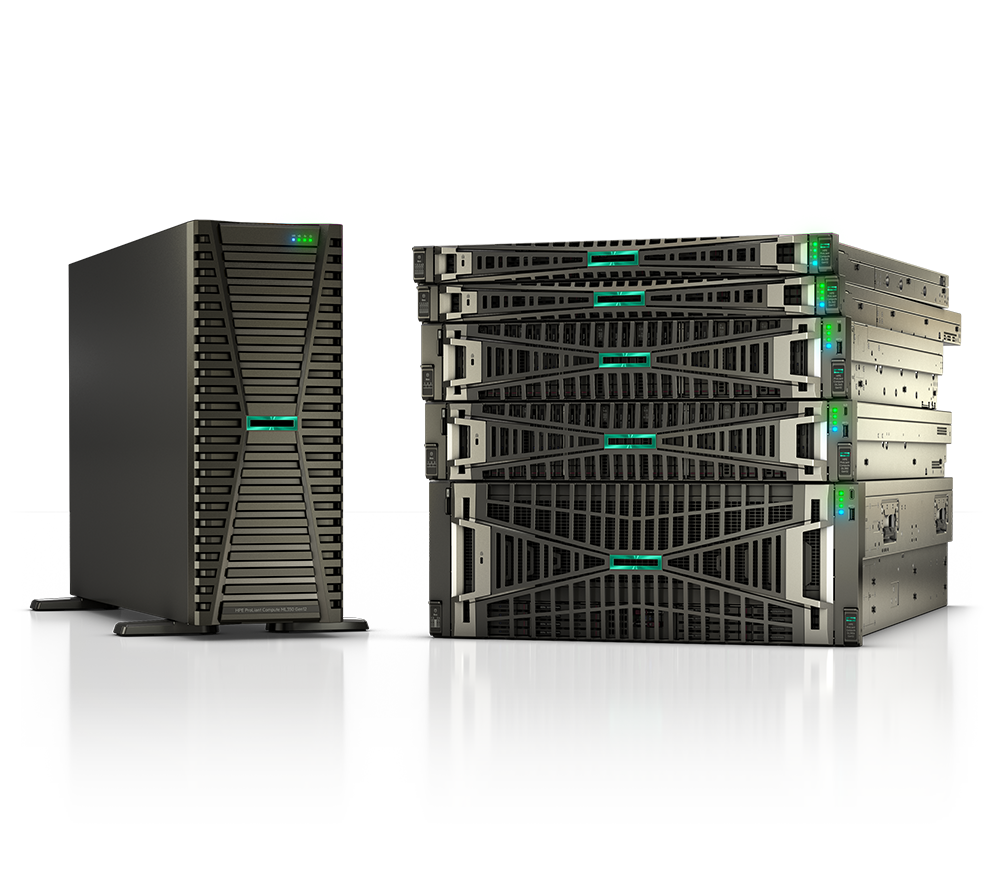
Every HPE server, storage array, and networking switch ships with a base warranty, but that warranty is almost never enough for production workloads. The gap between "we'll fix it eventually" and "an engineer is on site in four hours" is the difference between an HPE Care Pack and a standard warranty. This HPE Care Pack guide breaks down HPE Pointnext support, the Foundation Care vs Tech Care question, and how to size warranty tiers and response SLAs to real uptime requirements instead of overpaying for coverage you'll never use.
Standard warranty vs an HPE Care Pack
The factory warranty on a ProLiant or Alletra system is a baseline: it covers defects, typically with a limited duration and a slow, business-hours, parts-and-labor response. It does not guarantee an on-site engineer, a fixed time-to-repair, or 24x7 phone access to senior technical resources. For a lab box, that may be fine. For anything running a clinical application, a financial system, or a federal mission workload, it is not.
An HPE Care Pack (delivered under the HPE Pointnext Services umbrella) upgrades that baseline with defined service levels, guaranteed response or repair windows, software support, and proactive features. You buy it as a SKU attached to the hardware, you can extend it for the life of the asset, and the SLA is contractual rather than best-effort.
The HPE support tiers, decoded
HPE has consolidated its support portfolio around HPE Pointnext Tech Care as the go-forward offering. The older Foundation Care and Proactive Care packs are being phased out for new attach, and existing customers migrate to Tech Care as contracts renew. You will still see all three on quotes and in the installed base, so it helps to understand each.
- Foundation Care is reactive break/fix done well: remote technical support, diagnostics, on-site hardware repair, and software patches/updates where eligible. You pick a response level (next business day, 4-hour, 6-hour).
- Proactive Care layers proactive value on top of reactive support: firmware and software currency analysis, recommendations, and an enhanced call experience. Hardware levels run from NBD to 4-hour 24x7 to 6-hour call-to-repair.
- Tech Care is the modern replacement. Even at the base level it bundles proactive and predictive capabilities, general technical guidance (not just "is it broken?"), access to product-specific specialists, and a single point of contact. It comes in three service levels: Basic, Essential, and Critical.
Tech Care service levels and SLAs
The three Tech Care levels map cleanly to how critical the workload is:
| Service level | Remote support | Hardware response / repair | Best fit |
|---|---|---|---|
| Basic | 9x5 (business hours) | Next-business-day on-site | Dev/test, edge, non-critical apps, branch gear |
| Essential | 24x7 | 4-hour on-site response | Production servers, primary storage, most enterprise workloads |
| Critical | 24x7 + outage management | 6-hour hardware call-to-repair (CTR) | Mission-critical, revenue-generating, life-safety, or zero-downtime systems |
Two distinctions matter for procurement. First, response time (an engineer or part arrives) is not the same as call-to-repair (the system is back in service within the window) — only Critical commits to a 6-hour CTR. Second, Critical adds outage management, an escalation process that pulls in specialist resources and keeps your stakeholders updated during a major incident. The repair clock generally starts when HPE acknowledges the case, so accurate contact info and entitlement data on file matters.
How to choose the right Care Pack tier
Work the decision in this order:
- Classify the workload by downtime cost. What does one hour of outage cost in revenue, penalties, or patient/citizen impact? That number sets your ceiling for warranty spend.
- Match the SLA to that cost, not to the hardware price. A modest switch carrying your entire campus may deserve Essential; an expensive lab server may only need Basic.
- Decide reactive vs proactive. If you have a lean team with no time for firmware currency reviews, the proactive/predictive features baked into Tech Care pay for themselves in avoided incidents.
- Set the term to match the asset lifecycle. Buy coverage for the full intended life (commonly 3 or 5 years). Attaching at purchase is cheaper than back-filling later, and avoids any lapse-and-reinstate friction.
- Don't forget software and firmware support. Confirm whether your tier includes the OS, hypervisor, or networking software you actually run — eligibility varies by product.
- Plan the renewal early. Coverage gaps create entitlement headaches and can leave a critical system uncovered exactly when it fails. Map renewals to your budget cycle.
A quick selection heuristic: Basic for "we can wait until tomorrow," Essential for "we need someone today," Critical for "it cannot stay down."
How Uniqcli helps
As an authorized HPE, HPE Aruba Networking, and HPE Juniper Networking reseller, Uniqcli scopes and prices Care Packs as part of the hardware deal rather than as an afterthought. We help you:
- Right-size the tier. We map your workload criticality to Basic / Essential / Critical so you neither overbuy a 6-hour CTR for a test box nor under-protect a production cluster. Browse coverage-eligible hardware on /products and the full /catalog, and use /compare to weigh platforms side by side.
- Get the SKUs right. Care Pack and Tech Care part numbers must match the exact base unit and term — a mismatch delays entitlement. We validate this before the quote goes out.
- Procure on your vehicle. We support TAA-compliant, GSA, NASA SEWP, and E-Rate purchasing for federal, SLED, healthcare, and education buyers, so support attaches cleanly to a compliant order.
- Cover deployment and renewals. We help with installation, factory integration where it makes sense, and proactive renewal reminders so coverage never lapses on a critical asset.
Ready to scope coverage? Start a /quote and we'll return a tier recommendation with matched Care Pack SKUs.
FAQ
What is the difference between an HPE warranty and an HPE Care Pack? The base warranty is a limited, mostly business-hours break/fix baseline included with the hardware. A Care Pack (delivered as HPE Pointnext Services) upgrades it with contractual SLAs, faster response or call-to-repair, 24x7 options, software support, and proactive features.
Foundation Care vs Tech Care — which should I buy today? For new purchases, Tech Care is HPE's go-forward offering and the one to standardize on; even its Basic level includes proactive and predictive capabilities that older packs charged extra for. Foundation Care and Proactive Care still exist in the installed base and migrate to Tech Care at renewal.
What is the difference between response time and call-to-repair? Response time is when an engineer or replacement part arrives. Call-to-repair (CTR) is when the system is actually restored to service. Only the Tech Care Critical level commits to a 6-hour hardware CTR; Essential commits to a 4-hour on-site response.
Can I add or extend a Care Pack after purchase? Yes, but it's cheaper and cleaner to attach at the time of hardware purchase. Back-filling coverage on an older asset can require an inspection and may cost more, and any lapse can complicate entitlement. We recommend matching the term to the asset's full intended lifecycle.