
"How to Read an HPE Quote: Decoding SKUs, Factory-Integrated vs Field, and Care Packs"
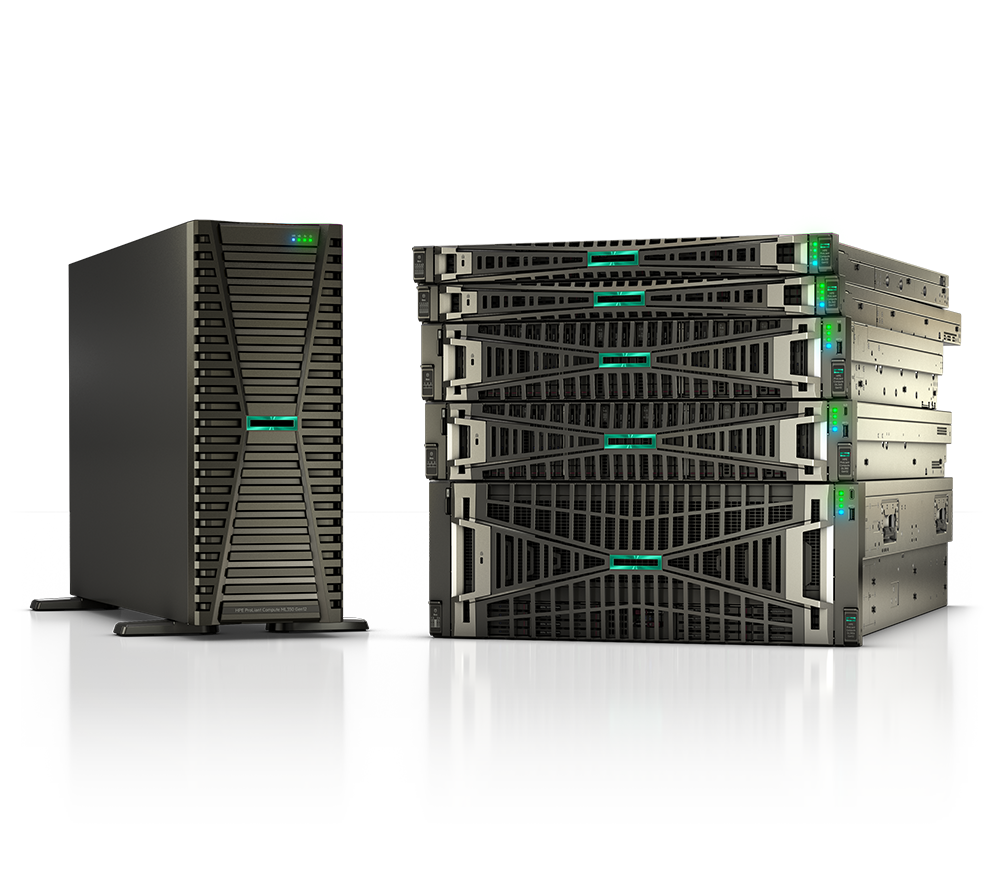
An HPE quote can run dozens of lines: a base server, a stack of components, a support contract, and a column of cryptic part numbers. The difference between a clean deployment and a six-week delay often comes down to whether someone on your side could actually read the HPE quote and decode the SKUs before approving it. This guide breaks down how HPE part numbers work so procurement and IT buyers can catch configuration mismatches, factory-integration traps, and missing warranty coverage before the PO goes out.
Why decoding HPE SKUs matters before you sign
HPE part numbers are not random. Each one encodes a product, a configuration variant, and frequently a sales channel or region. A quote that looks complete can still be unbuildable — for example, a field-only option attached to a factory-integrated server, or a Care Pack that does not match the warranty start date. Because HPE servers are largely assemble-to-order, the factory validates the bill of materials against rules you cannot see on the page. If the line items conflict, the order stalls in configuration review, and quoted lead times quietly stretch out. Reading the SKUs yourself — or having an authorized reseller validate them — turns the quote from a black box into something you can audit line by line.
Anatomy of an HPE part number
Most HPE hardware SKUs share a recognizable structure: a base product number followed by a suffix that tells you the variant. The base number identifies the model or option; the suffix tells you how it ships and where.
- The base number (for example,
P28948) identifies the product family and configuration. - The suffix (
-B21,-291,-AA1,-S01, and others) signals the regional localization and sales channel.-B21is the common worldwide option suffix; country-specific suffixes like-291(Japan) or-AA1exist for localized variants. - An "FIO" note means Factory Integrated Option — the part can only be installed at the factory on a CTO order, not added in the field later.
The practical takeaway: two lines that look almost identical but carry different suffixes are not interchangeable. Mixing a factory-integrated suffix with a field-installable build, or ordering a region-specific variant for the wrong destination, is one of the most common reasons a quote fails validation.
CTO vs BTO, and factory-integrated vs field
This is the distinction that trips up the most buyers.
- CTO (Configure-To-Order) servers are built at the HPE factory to your exact spec. The base unit is a CTO chassis, and every component is added as a factory line item. CTO is required for factory integration — pre-installed drives, firmware baselines, or factory-only options.
- BTO (Build-To-Order) units are pre-defined configurations assembled through the channel. They ship faster as fixed recipes, but you give up granular customization.
Within a CTO quote, options split into two camps: factory-integrated (FIO) options, installed and tested at the factory on a CTO base unit, which cannot be ordered as standalone field upgrades; and field-installable options, which ship loose and are added on-site by your team or an integrator.
A frequent failure mode: someone copies a field-installable NIC or drive part number onto a CTO order expecting factory installation, or attaches an FIO-only option to a BTO box. Either mismatch will bounce. When you read the quote, confirm that the base unit type (CTO vs BTO) is consistent with how every option below it is meant to be installed.
Reading Care Pack and support SKUs
HPE support coverage is sold separately as Care Packs (now branded under HPE Pointnext, with tiers like Tech Care). These SKUs follow their own logic, and reading them correctly protects you from gaps in coverage.
- Up-front (attach) vs contractual: For Pointnext Tech Care, the first characters of the SKU are shared, but the ending differs. Up-front Care Packs typically end in a number representing the term in years (for example, a
…Eelectronic SKU for a 3-year package), while contractual packages end inC. - "PE" suffix = Post-Warranty / Extended: A SKU ending in
PE(such as a Tech Care Essential Post Warranty line) extends coverage after the base warranty lapses. If you attach a post-warranty Care Pack but your hardware is still in its factory warranty, the dates will not line up. - Service level is encoded in the description: Tech Care comes in Basic, Essential, and Critical tiers with different response targets (for example, next-business-day vs 24x7 with a 4-hour on-site window). Match the tier to your uptime requirement, not just the lowest price.
The rule of thumb: every hardware line that needs coverage should have a corresponding Care Pack whose term, start trigger (attach vs post-warranty), and service level actually match the asset.
How to choose: a quick SKU validation checklist
Use this table to sanity-check any HPE quote before approval.
| What to check | What it tells you | Red flag |
|---|---|---|
| Base unit type (CTO vs BTO) | Whether the build is factory-custom or a fixed config | Field-only or FIO option on the wrong base type |
| Suffix on each part (-B21, -291, etc.) | Region/channel variant | Wrong-region suffix for the ship-to location |
| FIO notation | Option is factory-install only | FIO part on a BTO order or expected as a field add |
| Care Pack term & ending (E vs C, PE) | Attach vs contractual, post-warranty | Post-warranty Care Pack on in-warranty hardware |
| Care Pack service tier | Response SLA (NBD vs 24x7x4) | Tier below your uptime requirement |
| Quantities & matched options | Drives, NICs, PSUs align with chassis slots | More options than the chassis supports |
| TAA / country of origin | Compliance for federal/SLED orders | Non-TAA-compliant variant on a federal PO |
If every row checks out, the quote is far more likely to build and ship on the quoted timeline.
How Uniqcli helps
As an authorized HPE, HPE Aruba Networking, and HPE Juniper Networking reseller, Uniqcli reads these SKUs so your team does not have to guess. We scope the configuration against the live QuickSpecs, validate CTO/BTO and factory-integration rules so the order does not bounce in review, and match Care Pack coverage to each asset's warranty timeline and your uptime needs. You can browse models on our products and catalog pages, weigh options side by side with compare, and request a clean, decoded build through quote.
For public-sector and regulated buyers, we handle procurement on the right vehicle — TAA-compliant configurations, GSA Schedule, NASA SEWP, E-Rate for K-12, and cooperative contracts for SLED — so the part numbers on your quote are also the compliant ones for your funding source. We support the full lifecycle: scope, quote, procure, deploy, and ongoing support.
FAQ
What does the suffix on an HPE part number mean?
The suffix after the base number (for example -B21) identifies the regional localization and sales channel of an otherwise identical product. -B21 is the common worldwide option code; country-specific suffixes exist for localized markets. Always confirm the suffix matches your ship-to region.
What is the difference between CTO and BTO on an HPE quote? CTO (Configure-To-Order) is a factory-custom build assembled to your exact spec and is required for factory-integrated options. BTO (Build-To-Order) is a pre-defined configuration assembled through the channel — faster to ship but less customizable. The base unit type must be consistent with how each option is meant to be installed.
What does FIO mean, and why does it matter? FIO stands for Factory Integrated Option. An FIO part can only be installed at the HPE factory on a CTO order; it cannot be added as a field upgrade. Putting an FIO part on a BTO order, or expecting to install it on-site later, will cause the order to fail validation.
How do I know if a Care Pack matches my hardware?
Check three things: the term and ending (an E/up-front SKU vs a C contractual SKU), whether it is post-warranty (a PE suffix means it starts after the base warranty), and the service tier (Basic, Essential, or Critical). The coverage start, term, and SLA should align with the asset's warranty dates and your uptime requirement.