
Wi-Fi 7 for K-12 and Higher Ed: An Aruba Campus Upgrade Guide
Campus networks carry more devices, more video, and more critical applications than ever. A single lecture hall can hold hundreds of phones, laptops, and tablets at once, while elementary classrooms run cloud assessments, streaming lessons, and one-to-one device programs all day. For many K-12 districts and higher-ed campuses, the wireless network installed five or six years ago simply was not designed for this load. Wi-Fi 7 — paired with HPE Aruba Networking access points and management — is how schools are catching up.
This guide walks through why education is moving to Wi-Fi 7, what changes on an Aruba campus, how funding like E-Rate fits in, and how to plan a rollout that does not disrupt instruction.
Why education is upgrading to Wi-Fi 7
Wi-Fi 7 (the marketing name for IEEE 802.11be) is built for exactly the conditions schools face: high device density, mixed traffic, and a need for consistent performance rather than occasional peak speed. The standard introduces wider 320 MHz channels, 4K-QAM modulation for more efficient data encoding, and Multi-Link Operation (MLO), which lets a device use more than one band at the same time. The practical result is more usable capacity and steadier connections when a room is packed.
Latency matters as much as throughput in education. Online testing platforms, interactive whiteboards, voice and video calls, and AR/VR learning tools all degrade noticeably when the network stutters. Wi-Fi 7's efficiency features are designed to reduce that jitter, which is why districts running statewide assessments or universities supporting research and telepresence are prioritizing the move.
If you are still deciding whether to jump now, our comparison of Wi-Fi 6E vs Wi-Fi 7 breaks down where the newer standard earns its keep and where 6E may be enough for a smaller site.
What changes on an Aruba campus
HPE Aruba Networking's Wi-Fi 7 access points are engineered for dense deployments, with multi-gigabit uplinks and support for the 6 GHz band where regulators permit it. That extra spectrum is a big deal on a campus: 6 GHz offers clean, wide channels that older networks crowded into 2.4 and 5 GHz could never provide, which helps the lecture-hall and cafeteria scenarios where everyone connects at once.
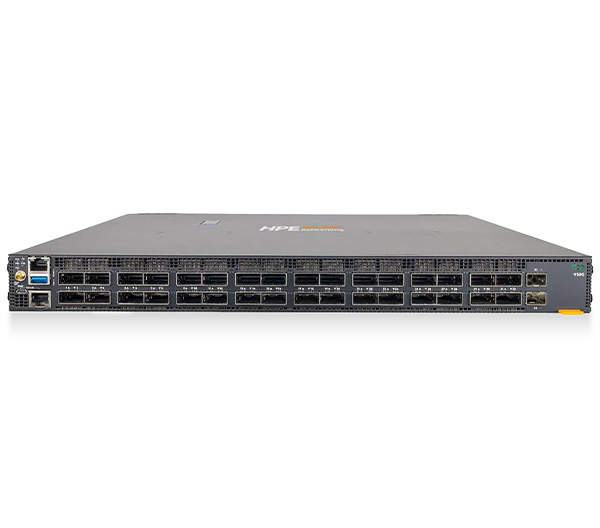
Just as important is what sits behind the access points. Wi-Fi 7 APs need more bandwidth than older PoE switches and cabling were sized for, so a real upgrade usually touches the wired layer too — multi-gigabit switching, adequate Power over Ethernet budget, and in some cases new cable runs. Aruba's switching and centralized management (through Aruba Central) let IT teams roll out, monitor, and troubleshoot the whole fabric from one place, which is valuable when a small district team supports dozens of buildings.
When you are sizing hardware, our Aruba access point buying guide explains how to match AP models to room types and density, and you can see current options in our networking lineup.
Security and student safety
Education networks are high-value targets and operate under real compliance pressure — student data privacy laws, district acceptable-use policies, and for healthcare-affiliated campuses, HIPAA-aligned controls. Wi-Fi 7 hardware supports WPA3 encryption and the latest security baselines, which is a meaningful step up from the WPA2 era that many existing campus networks still rely on.
Beyond the radio, Aruba's approach leans on identity-based access and segmentation: keeping student devices, staff systems, guest traffic, building systems (cameras, HVAC, door controllers), and lab or research networks logically separated so a problem in one zone does not spread. For districts pursuing a Zero Trust direction, that segmentation is the foundation. Pair it with content filtering and monitoring to meet student-safety obligations.
Funding the upgrade: E-Rate and procurement
For K-12 districts and libraries, the federal E-Rate program is the most common way to help fund internal network upgrades, including Wi-Fi access points and the switching that supports them. Eligibility rules, funding categories, and discount levels change over time and depend on your organization's specifics, so treat E-Rate as a real possibility worth pursuing — but confirm current eligibility, deadlines, and covered equipment with your state E-Rate coordinator or a knowledgeable consultant before you build a budget around it.
Procurement vehicles also shorten the path. SLED buyers can often acquire HPE Aruba Networking gear through cooperative contracts and government schedules such as GSA, while NASA SEWP is a common vehicle on the federal side. As an authorized HPE and HPE Aruba Networking partner serving federal, SLED, healthcare, and enterprise customers, Uniqcli can help align the right hardware with the contract vehicle your institution already uses, so the paperwork does not stall the project.
Planning a campus rollout
A wireless refresh in a school is as much a logistics problem as a technical one — you are working around class schedules, testing windows, and summer maintenance periods. A workable sequence usually looks like this:
- Survey and assess. Inventory existing APs, switches, cabling, and PoE capacity. Identify high-density spaces (auditoriums, gyms, libraries, large lecture halls) that will set your design requirements.
- Design for density and the wired layer. Plan AP placement and channel use for peak concurrent devices, then confirm switching and power can feed them. Wi-Fi 7's gains are wasted if the backbone is the bottleneck.
- Phase the deployment. Many campuses start with the busiest or most problematic buildings, validate the design, then expand. Summer and breaks are natural windows for cutovers.
- Validate and tune. Test real workloads — assessment platforms, video, voice — under load, not just signal strength, and adjust before the next phase.
For a deeper, step-by-step framework, see how to plan a Wi-Fi 7 upgrade, which covers surveys, phasing, and validation in more detail.
Key takeaways
- Wi-Fi 7 fits education's profile: wider channels, 4K-QAM, and Multi-Link Operation deliver more capacity and lower latency in dense, mixed-traffic classrooms and lecture halls.
- The wired layer is part of the upgrade: plan for multi-gigabit switching, sufficient PoE, and cabling so the backbone does not cap your new access points.
- Security improves materially: WPA3 plus identity-based segmentation supports student-data privacy and Zero Trust goals.
- E-Rate can help — verify first: it commonly supports K-12 internal connections, but confirm current eligibility, deadlines, and covered equipment before budgeting.
- Use the right contract vehicle: GSA and SEWP can streamline SLED and federal procurement of HPE Aruba Networking gear.
- Phase the rollout: survey, design for density, deploy in stages around the academic calendar, then validate under real workloads.
Plan your Aruba Wi-Fi 7 campus upgrade
Whether you are a district mapping an E-Rate cycle or a university scoping a multi-building refresh, Uniqcli can help you design, source, and procure an HPE Aruba Networking Wi-Fi 7 deployment through the right contract vehicle. Request a quote for your campus, or contact our team to talk through density, funding, and rollout planning.