
ArubaOS-Switch (AOS-S) End-of-Life: Moving to Aruba CX
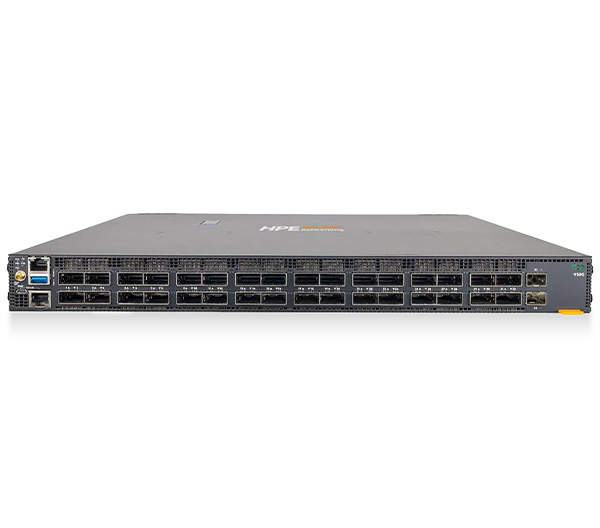
If your campus or branch still runs ArubaOS-Switch (AOS-S) on older Aruba and HP-branded switches, you are managing a platform that is steadily moving toward end-of-life. HPE Aruba Networking has made AOS-CX the strategic direction for its switching portfolio, and AOS-S models are progressively reaching their last software releases and end-of-support milestones. For teams in federal, SLED, healthcare, and enterprise environments, that means it is time to plan — not panic, but plan — a structured move to Aruba CX.
This guide walks through what the transition involves, where the configuration differs, and how to time the refresh so it lands cleanly inside your budget and security cycles.
Why AOS-S Is Being Retired
AOS-S is the operating system that grew out of the long-running ProVision/ProCurve lineage. It served generations of access and aggregation switches well, but it predates the cloud-native, automation-first design goals that HPE Aruba Networking now builds around. AOS-CX is a modern, modular network operating system with a built-in database (the centralized state model), native REST APIs, and tighter integration with cloud management.
Rather than retrofit AOS-S indefinitely, HPE Aruba has concentrated new features, security hardening, and management integration on the CX line. Practically, that means AOS-S platforms eventually stop receiving new software and, later, stop receiving support and security fixes altogether. Running past those dates leaves you exposed to unpatched vulnerabilities and unsupported hardware — a real problem if you answer to auditors or compliance frameworks.
Exact end-of-sale and end-of-support dates vary by model and software branch. Always verify your specific part numbers against HPE Aruba Networking's official end-of-support notices and service-life documents before you build a timeline. For a broader view of how aging switches drive a refresh decision, see our Aruba switch EOL refresh overview.
What Changes When You Move to AOS-CX
The biggest mindset shift is that AOS-CX is not "AOS-S with new commands." It is a different operating system, so expect meaningful differences:
- CLI syntax. Many commands look familiar, but plenty differ. VLAN, interface, spanning-tree, and ACL configuration all follow CX conventions. Plan to retranslate configs rather than copy-paste them.
- Configuration model. AOS-CX uses a centralized database that all processes read from and write to. This enables features like config checkpoints, rollback, and consistent state across the system.
- Automation and APIs. AOS-CX ships with REST APIs and supports tools like Ansible and Python out of the box. If you have been scripting against AOS-S, you will rebuild those workflows — but they become far more capable.
- Management. CX switches integrate cleanly with HPE Aruba Networking Central for cloud-based monitoring and configuration, which changes day-two operations for many teams.
Because the OS is different, treat migration as a re-architecture of your switch configuration, validated in a lab or pilot, not a one-for-one swap. Build a clean target config, test it against representative traffic, then roll it out in stages.
Mapping Old Hardware to Aruba CX
Choosing replacement hardware is where procurement and engineering meet. Aruba CX spans fixed access switches up through core and data-center platforms, so most AOS-S roles have a clear CX counterpart. Access-layer ProVision-era switches typically map to the CX 6000-series access family, while aggregation and core roles map to higher-tier CX models.
A few questions drive the right fit:
- PoE budget — how many PoE/PoE+/PoE++ ports do your access points, cameras, and phones need, and at what total wattage?
- Uplink speed — are you still on 1/10G uplinks, or moving to 25G and beyond?
- Stacking and resiliency — do you need VSF stacking or VSX for redundancy at aggregation?
- Port count and form factor — 24- vs 48-port, and any multigigabit requirements for Wi-Fi 6/6E/7 access points.
Our Aruba CX buying guide breaks down the families in detail, and if you are weighing the two most common access choices, the CX 6200 vs 6300 comparison covers the trade-offs in stacking, performance, and price. You can also see current options across our networking lineup.
Migration and Timing Considerations
A smooth migration usually follows a predictable arc. Start with discovery: inventory every switch, note its software version, and check each model against official end-of-support notices. Group switches by site and by urgency — anything already past or near end-of-support moves to the front of the line.
Next, design and pilot. Build target AOS-CX configurations, validate them in a lab, and run a pilot at a low-risk site. Document a rollback plan and capture lessons before scaling. Then phase the rollout closet by closet or building by building, with maintenance windows scheduled around your operational calendar.
On timing, give yourself runway. Switching hardware can carry lead times, especially for higher port counts, specific PoE budgets, or optics. Public-sector buyers also work within fiscal-year cycles and contract vehicles, so aligning the purchase with budget availability matters as much as the technical schedule. Engaging early — before the end-of-support cliff — keeps you out of emergency procurement, where pricing and availability are least friendly. When you are ready to scope quantities and configurations, browse networking to assemble a working list.
Key Takeaways
- AOS-S is on the way out — HPE Aruba Networking has made AOS-CX the strategic switching platform, and AOS-S models are reaching last-software and end-of-support milestones.
- Verify dates yourself — end-of-sale and end-of-support timelines differ by model and software branch; confirm your part numbers against official HPE Aruba notices.
- CX is a new OS, not a reskin — expect different CLI syntax, a database-driven config model, and native automation; plan to re-translate configs and test in a pilot.
- Map roles deliberately — match PoE budget, uplink speed, stacking, and port count to the right CX family rather than guessing on equivalence.
- Start early — lead times and fiscal cycles mean the best outcomes come from planning ahead of the end-of-support cliff, not after it.
Plan Your Move With Uniqcli
As an authorized HPE and HPE Aruba Networking partner serving federal, SLED, healthcare, and enterprise customers, Uniqcli can help you map your AOS-S install base to the right Aruba CX models, confirm support timelines, and build a phased refresh that fits your budget and contract vehicles.
Ready to scope your migration? Request a quote with your current switch inventory, or contact our team to talk through timing, configuration, and lead times. The sooner you plan, the smoother the move to Aruba CX.