
"Aruba Central Licensing Explained: Foundation vs Advanced, Terms, and How to Avoid Overbuying"
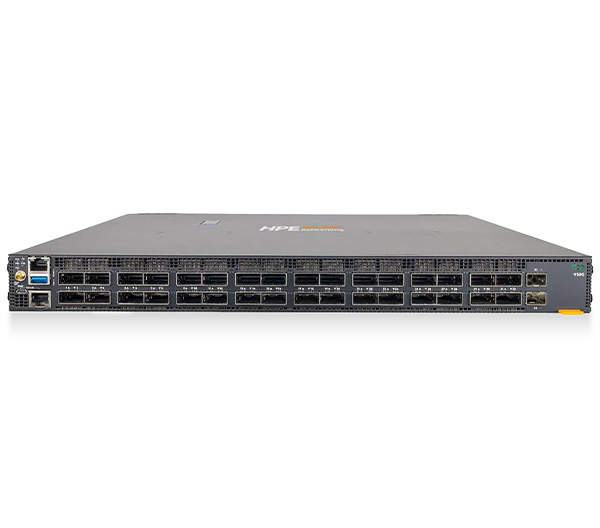
If you are budgeting for HPE Aruba Networking gear, the access points and switches are the easy part. The line item that trips up most buyers is the cloud management subscription. Aruba Central licensing is sold per device, in two service tiers (Foundation and Advanced), across multiple term lengths, and the rules differ depending on whether you are licensing an AP, a switch, or a gateway. Get it wrong and you either lose features you paid for or pay for capabilities you will never enable. This guide breaks down Aruba Central licensing so procurement and IT teams can size it correctly the first time.
How Aruba Central Licensing Actually Works
Aruba Central is the cloud-based (or on-premises) network management and operations platform for HPE Aruba Networking infrastructure. Almost every modern Aruba switch, AP, and gateway needs a Central subscription to be managed, monitored, and supported. The subscription turns hardware into a managed, NaaS-style estate.
Three principles drive the cost:
- Licensing is device-based. Every managed device consumes one subscription of the right type. One AP, one AP license. One switch, one switch license.
- Tiers are not interchangeable across device types. A Foundation or Advanced license for an AP is a different SKU than one for a switch or a gateway. You cannot apply an AP license to a switch, and vice versa.
- Subscriptions are fixed-term. The clock typically starts when the license is generated or shipped, so coordinate purchase timing with your deployment schedule.
Build the hardware quote and the licensing quote together. Sizing the subscription as an afterthought is how organizations end up with mismatched renewal dates scattered across the year.
Foundation vs Advanced: What You Actually Get
The two tiers separate "run the network well" from "run it with deep AI-driven operations and richer security services." The important nuance: the gap between tiers depends heavily on device type.
- Foundation covers the day-to-day essentials: cloud management and monitoring, configuration and provisioning, basic analytics and AI insights, and 24/7 technical support. For most switching environments, Foundation is the complete picture.
- Advanced layers on the heavier capabilities: deeper AI-powered analytics and automation, richer wireless services, and additional security and policy features. Advanced includes everything in Foundation for that device type.
Where this matters in practice:
- Access points have the most meaningful Foundation-vs-Advanced split. Advanced AP licensing unlocks the AIOps automation, advanced analytics, and expanded WLAN/security services that data-driven wireless teams want.
- Switches are primarily a Foundation story. For most catalog switching, Foundation carries the features teams need, so do not assume you need to "upgrade" switches to Advanced.
- Gateways have the most granular structure, with multiple Foundation levels and Advanced options that scale with branch size and the SD-WAN/security services you run.
The single biggest source of overbuying is reflexively buying Advanced across the board "to be safe." If you are not enabling the Advanced features, you are paying for shelfware. Map tiers to the workloads each device class will run.
Subscription Term Lengths and Why They Matter
Aruba Central is sold in fixed terms, commonly 1, 3, 5, 7, and 10 years. Longer terms generally lower the annualized cost and consolidate renewals, while shorter terms preserve flexibility if your refresh cycle or headcount is uncertain.
For government and education buyers, term selection is also a budgeting tool. A 3- or 5-year term can be aligned to a contract period of performance or a capital cycle so the renewal does not surprise you mid-program. Try to align the term with the expected service life of the hardware, and co-term licenses to a single anniversary date, one of the most underrated ways to keep an estate manageable at renewal.
How to Choose the Right Aruba Central Licensing
Work through these questions before you build the quote:
- Count devices by type. APs, switches, and gateways each need their own license type. Build three separate counts.
- Decide the tier per device type, not per network. Switches are usually Foundation. APs and gateways are where Advanced earns its keep, if you will use the AIOps, automation, and advanced security services.
- Pick a term that matches hardware life and budget cycle. Default to a term that gets you to your next refresh, and co-term everything to one date.
- Plan renewals now. Note expiration dates at purchase so a lapse never takes a site offline or out of support.
Aruba Central License Selection at a Glance
| Device type | Foundation covers | Advanced adds | Typical right-size |
|---|---|---|---|
| Access points | Cloud mgmt, monitoring, config, base AI insights, 24/7 support | AIOps automation, advanced analytics, expanded WLAN/security services | Advanced where you run data-driven wireless ops; Foundation for simpler sites |
| Switches | Full management, provisioning, analytics, 24/7 support | (Limited/with-features depending on platform) | Foundation for most switching |
| Gateways | Branch connectivity and management (multiple Foundation levels) | Advanced SD-WAN/security and policy services | Match level to branch size and SD-WAN/security scope |
Use this as a starting filter, then validate against the exact device models and current SKUs on your quote. Browse hardware on our products and catalog pages, and line them up using compare.
Common Ways Buyers Overpay (and How to Avoid Them)
- Buying Advanced for switches by default. Most switching runs fine on Foundation. Confirm you need Advanced features before paying for them.
- Mismatched terms. A mix of 1-, 3-, and 5-year subscriptions creates a renewal mess and weakens your negotiating position. Co-term where possible.
- Over-licensing for headcount you do not have yet. License the devices you are deploying and plan a true-up, rather than buying years of unused capacity.
- Ignoring the start date. Because the term often begins at generation or shipment, ordering far ahead of deployment burns coverage you paid for. Time the purchase to the rollout.
How Uniqcli Helps
Uniqcli is an authorized HPE and HPE Aruba Networking reseller, and we build the hardware and the Aruba Central subscription as one coordinated quote so the licensing fits the deployment, not the other way around.
- Scope and right-size. We count devices by type, map Foundation vs Advanced to the workloads each class will actually run, and recommend term lengths aligned to your refresh and budget cycle, so you avoid shelfware.
- Procurement that fits your vehicle. We support TAA-compliant configurations and public-sector purchasing paths including GSA, SEWP, and E-Rate, so federal, SLED, healthcare, and enterprise buyers can transact on the contract that fits.
- Deploy and support. From onboarding into Aruba Central through renewal management and co-terming, we keep the estate clean and expiration dates predictable.
Ready to size it correctly the first time? Request a quote for a device-by-device licensing plan with term and tier recommendations.
FAQ
Do I need an Aruba Central license for every device? In most modern HPE Aruba Networking deployments, yes. Subscriptions are device-based: each managed AP, switch, and gateway consumes its own license of the matching type.
Is Foundation enough, or do I need Advanced? For most switching, Foundation is sufficient. Advanced earns its place on access points and gateways when you will use the AIOps automation, advanced analytics, and expanded security and WLAN services. If you are not enabling those features, Advanced is shelfware.
Can I move an AP license to a switch later? No. Foundation and Advanced licenses are specific to the device type. AP, switch, and gateway licenses are different SKUs and not interchangeable, so count each class separately.
Which term length should I pick? Match the subscription term to your hardware's service life and budget cycle. Common terms run 1, 3, 5, 7, and 10 years, with longer terms lowering annualized cost. Co-term licenses to one renewal date to keep management simple.