
"PoE Budget Planning: Sizing Aruba CX Switches for Wi-Fi 7 APs, Cameras, and IoT"
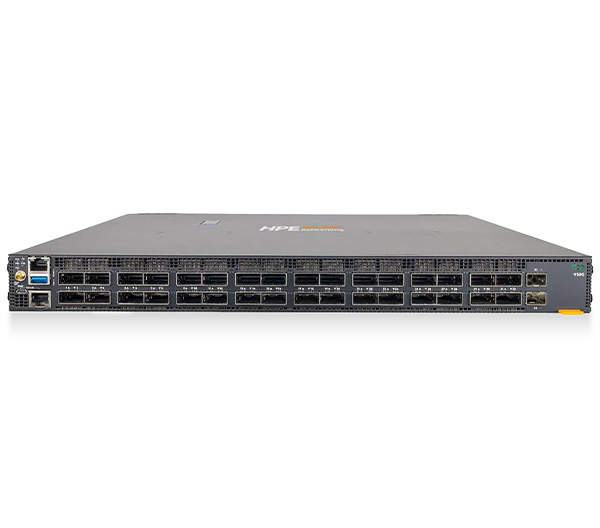
PoE budget planning is the step most access-layer refresh projects underestimate, and it is the one that quietly determines whether your Wi-Fi 7 access points run at full radio power or throttle themselves the day they go live. The math is not complicated, but it has to be done per switch, per stack, and per power supply, not as a hand-wave at the end of a bill of materials. This guide walks procurement and IT teams through PoE++ switch sizing for high-draw APs, cameras, and IoT on HPE Aruba Networking CX hardware.
Why PoE budget planning fails on paper
A 48-port "PoE switch" does not mean 48 ports of full power at once. Every switch carries a finite PoE power budget set by its installed power supplies, and that budget is shared across all powered ports. When the sum of what your devices draw exceeds the budget, the switch starts denying power to lower-priority ports. On a Friday afternoon install that looks like APs randomly failing to boot.
Three numbers drive the entire exercise:
- Per-port maximum under the relevant IEEE standard (802.3af, 802.3at, or 802.3bt).
- Per-device actual draw, which is almost always lower than the port maximum and is the number you should plan to.
- System PoE budget, the watts available from the power supplies after the switch keeps a margin for itself.
The 802.3bt planning trap is assuming the headline per-port figure (60W or 90W) applies to every port simultaneously. It rarely does on a fully loaded chassis.
Know your PoE standards before you size anything
| Standard | Common name | Type | Max power sourced per port | Typical loads |
|---|---|---|---|---|
| 802.3af | PoE | Type 1 | ~15.4W | Legacy APs, VoIP phones, basic sensors |
| 802.3at | PoE+ | Type 2 | ~30W | Wi-Fi 5/6 APs, PTZ-light cameras |
| 802.3bt | PoE++ | Type 3 | ~60W (Class 6) | High-draw Wi-Fi 6E/7 APs, PTZ cameras |
| 802.3bt | PoE++ | Type 4 | ~90W (Class 8) | Multi-radio Wi-Fi 7 APs, AV, displays |
Per-port maximums are what the switch can deliver; plan to device draw, not the ceiling.
Most current Wi-Fi 7 access points require at least 802.3at to power on, and several high-end tri-radio models need 802.3bt to enable every radio chain and full USB/IoT port functionality. Underpowering a Wi-Fi 7 AP does not kill it; it makes the AP silently disable radios or drop transmit power, which looks like a coverage problem months later. Always pull the exact PoE class and worst-case draw from the AP datasheet before you finalize switch counts.
How to choose: the PoE++ switch sizing method
Work the budget in this order for each switch:
- List every powered device on the switch and its datasheet maximum draw (not its idle draw). For a closet with 30 Wi-Fi 7 APs at ~35W worst case plus 8 PTZ cameras at ~25W, that is roughly 1,050W + 200W = 1,250W of demand.
- Add cable derating. Power dissipates over the run; budget a small loss on long Cat6 runs and round demand up.
- Compare to the switch's available PoE budget with the power supplies you intend to buy. An HPE Aruba Networking CX 6300M 48-port Class 6 model can provide a large shared PoE budget (on the order of ~2,880W with full power supplies), which comfortably covers the example above. Verify the figure for the exact SKU and PSU configuration.
- Decide redundancy. If you want PoE to survive a power-supply failure, size so the surviving supply still covers critical APs and cameras. That can halve your usable budget, so plan for it up front.
- Set PoE priority on critical ports (security cameras, life-safety APs) so that if the budget is ever exceeded, the switch sheds non-critical loads first.
For stacks, remember the budget is per member switch, not pooled across the stack. A six-member stack does not give you one giant power pool; each switch powers only its own ports from its own supplies.
Stack and growth planning
Buyers consistently size for today's device count and regret it at the next refresh. Wi-Fi 7 drew more power than Wi-Fi 6; the next generation will likely draw more again, and IoT port counts only grow. Two rules keep you out of trouble:
- Leave 20-30% PoE headroom per switch at install so adding a few cameras or APs later does not force a power-supply swap or a truck roll.
- Standardize on a single 802.3bt-capable platform across closets so spares, power supplies, and PoE policy are interchangeable. Mixing PoE+ and PoE++ switches by closet creates the stranded-budget problems that this guide exists to prevent.
If you are weighing platforms or PSU options side by side, the compare tool lets you line up PoE budgets, port counts, and uplink speeds before committing.
How Uniqcli helps
Uniqcli is an authorized HPE, HPE Aruba Networking, and HPE Juniper Networking reseller, and PoE budget validation is part of how we scope an access-layer order so you do not over- or under-buy power supplies.
- Scope and sizing: We take your AP, camera, and IoT device list, calculate per-switch PoE demand with redundancy and growth headroom, and recommend the right CX switch and power-supply combination.
- Quote and procurement: Get a clean, line-item quote with TAA-compliant configurations for federal buyers, available through GSA, NASA SEWP, and E-Rate vehicles for SLED, healthcare, and education programs.
- Deploy and support: We coordinate matched power supplies, PoE policy templates, and lead times so the stack powers up correctly on day one, with ongoing support and warranty options.
Browse switch options on /products and the full /catalog, or send us your device list and we will return a sized, budget-validated configuration.
FAQ
How much PoE does a Wi-Fi 7 access point need? It depends on the model. Most Wi-Fi 7 APs need at least 802.3at (PoE+, ~30W) to boot, and several high-end multi-radio models require 802.3bt (PoE++) to enable all radios and IoT ports. Always confirm the PoE class and worst-case draw on the specific AP datasheet before sizing switches.
Does a 48-port PoE++ switch deliver 90W on every port at once? Almost never. The per-port maximum (60W or 90W under 802.3bt) is bounded by the switch's total shared PoE budget from its power supplies. Plan to the sum of actual device draws against that budget, not to per-port ceilings multiplied by port count.
How much PoE headroom should I plan for? Leave roughly 20-30% headroom per switch at install. Device power draw has risen with every Wi-Fi generation, and headroom lets you add cameras or APs later without swapping power supplies or scheduling a truck roll.
Is the PoE budget shared across a switch stack? No. PoE budget is per member switch, supplied by that switch's own power supplies. Stacking shares data and management, not power, so size each switch's budget independently.
Sources: device power figures should always be confirmed against current HPE Aruba Networking switch QuickSpecs and the specific access point datasheets at hpe.com/us/en/aruba-switches.html.